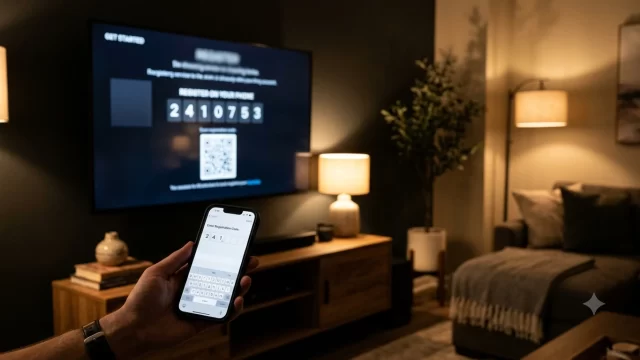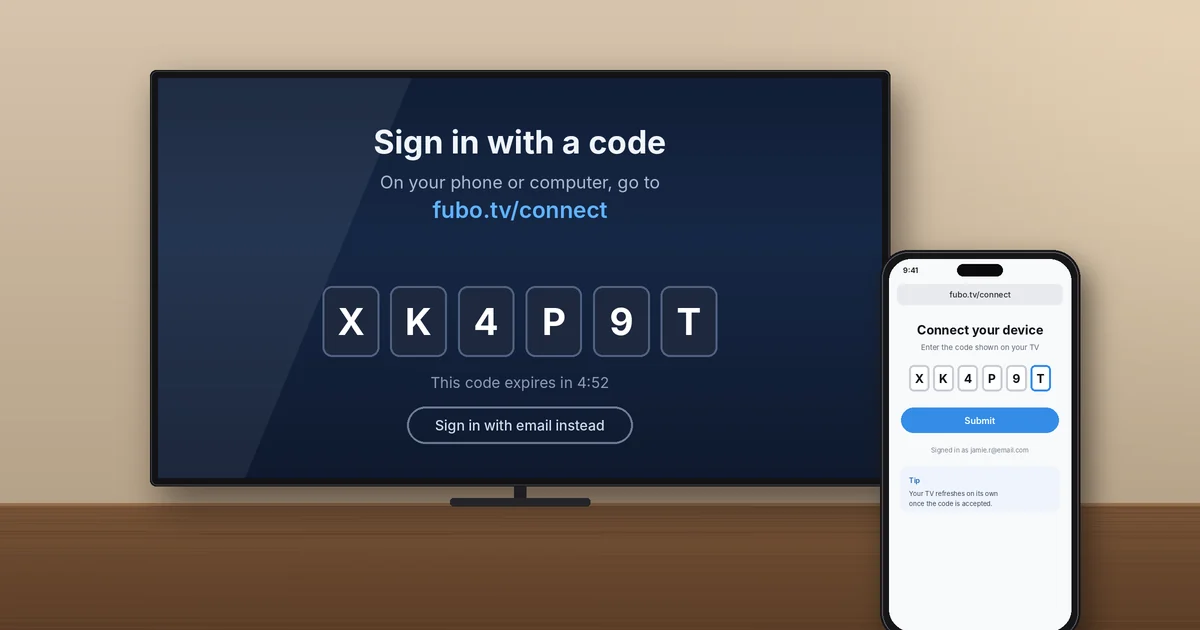
To use fubo.tv/activate, open the Fubo app on your TV, choose Sign In, then pick the option to sign in with a code. On your phone or computer, go to fubo.tv/connect (the page Fubo’s own help center points to), log in, type the code from your TV, and hit Submit. Your TV refreshes and drops you on the Fubo home screen within a few seconds.
That’s the whole job when everything cooperates. Below you’ll find the exact steps for Roku, Fire TV, Apple TV, and smart TVs, plus fixes for the two problems I see most: expired codes and fake “activation” sites.
Key Takeaways
- Fubo.tv/activate is the address most people search for, but Fubo’s help center sends you to fubo.tv/connect to enter your code.
- Activation codes are good for only five minutes. If one fails, grab a fresh code from your TV.
- You need an active Fubo account (a free trial counts) before any code will work.
- Activating Fubo is always free. Any site asking you to call a number or pay to “activate” is a scam.
What Is fubo.tv/activate (and Why You’ll Use fubo.tv/connect)?
Fubo is a live TV streaming service built around sports, with local channels, news, and entertainment networks in its packages. Typing an email and a long password with a TV remote is miserable, so Fubo lets you sign in on your TV by entering a short code from another device instead.
People call that process fubo.tv/activate because that’s how most streaming apps name it. Fubo’s official sign-in help article directs you to fubo.tv/connect, and that’s the page that actually accepts the code. So if you type fubo.tv/activate and don’t land on a code box, don’t panic. Just switch to fubo.tv/connect and you’re on the right page.
One small habit I recommend: type the address yourself instead of clicking a search result. More on why in the scam section below.
What You Need Before You Start
- An active Fubo account. A paid plan or a free trial both work. Fubo’s site currently lists a 5-day free trial for new subscribers, but offers change, so check at signup.
- A supported device with the Fubo app installed (Roku, Fire TV, Apple TV, Google TV, Xbox, or a recent smart TV).
- A second device with a web browser: your phone, tablet, or laptop.
- Your Fubo email and password. If you’ve forgotten the password, reset it first. It saves you from racing the five-minute code timer.
How to Activate Fubo at fubo.tv/activate: Step by Step
The fubo.tv/activate process has two halves: getting the code on your TV, then entering it in a browser. Keep both devices next to each other before you start.
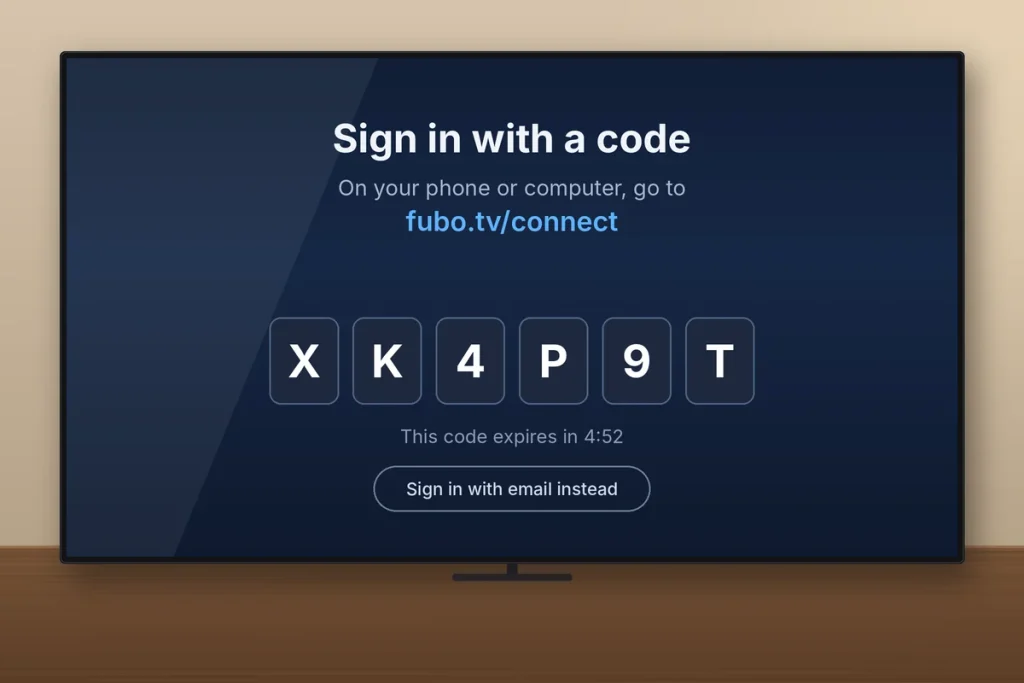
Part 1: Get your Fubo activation code on the TV
- Turn on your TV or streaming device and open the Fubo app.
- Select Sign In.
- Choose Sign In With A Code. A short activation code appears on screen.
- Leave this screen open. Backing out of it usually kills the code.
Part 2: Enter the code at fubo.tv/connect
- On your phone or computer, open a browser and type fubo.tv/connect into the address bar.
- Sign in with the same email and password you use for Fubo.
- Type the code exactly as it appears on your TV.
- Click Submit. You’ll see a success message in the browser.
- Look back at your TV. The Fubo app signs you in automatically and opens the home screen.
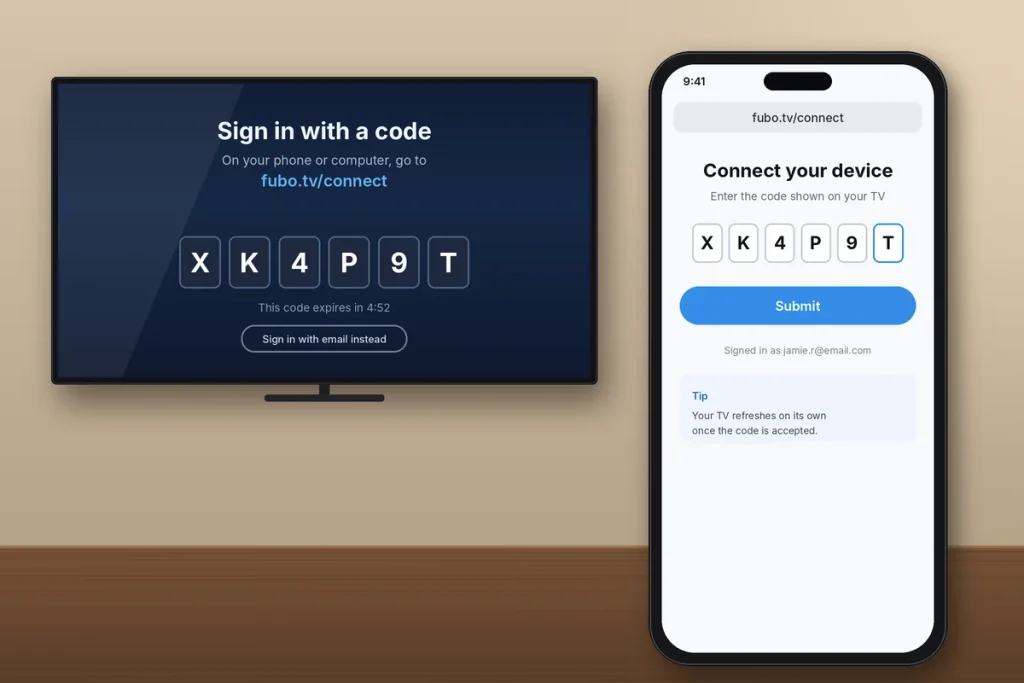
The whole fubo.tv/activate flow takes about a minute. If your TV doesn’t change after you see the success message, give it 10 to 15 seconds before you do anything else. Pressing buttons on the remote mid-refresh can push you back to the start.
How to Activate Fubo on Roku, Fire TV, Apple TV, and Smart TVs
The code steps are identical on every device. What changes is where you download the app. Here’s the quick version for each platform Fubo lists as supported in its device compatibility guide.
| Device | Where to get the Fubo app | Worth knowing |
|---|---|---|
| Roku and Roku TV | Home screen > Search > Fubo > Add app | Works on Roku devices that still get Roku OS updates |
| Amazon Fire TV / Fire Stick | Find > Search > Fubo > Get or Download | Same steps on Fire TV smart TVs |
| Apple TV | App Store > Search > Fubo > Get | Fubo calls the code method its recommended sign-in |
| Google TV / Android TV | Apps > Search > Fubo > Install | Includes Chromecast with Google TV and Sony Google TVs |
| Samsung, LG, Vizio, Hisense VIDAA | The TV’s built-in app store | Vizio support covers 2016 or newer SmartCast TVs |
| Xbox | Microsoft Store > Search > Fubo | Same code steps as any TV |
Activate Fubo on Roku
Press Home, go to Search, type “Fubo,” and add the app. Open it, choose Sign In With A Code, and complete fubo.tv/activate on your phone. If Fubo won’t install, check Settings > System > About. Older Roku players that no longer receive updates can lose app support.
Activate Fubo on Fire TV and Fire Stick
From the Fire TV home screen, open Find, search for Fubo, and select Get. Launch it, pick the code option, and finish the fubo.tv/activate steps at fubo.tv/connect. On Fire TV, I’d also turn on automatic app updates so an old app version doesn’t throw sign-in errors later.
Activate Fubo on Apple TV
Open the App Store, search Fubo, and install it. The fubo.tv/activate steps on Apple TV match every other device. When you open the app, follow the on-screen sign-in prompt and enter the code in your browser.
Activate Fubo on a Samsung, LG, or Vizio smart TV
Each brand has its own app store (Samsung’s Apps panel, LG’s Apps, and the Vizio app row). Search for Fubo, install it, and use the same fubo.tv/activate steps you’d use on a Roku. If you can’t find the app at all, your TV model may be too old, and a $30 to $50 streaming stick is usually the cheapest fix.
New to Fubo? You Can Sign Up From Your TV
Don’t have an account yet? You can still use fubo.tv/activate. The Fubo app on most TVs lets you start signing up right on the screen, and you’ll finish creating the account on your phone or computer. According to Fubo’s help center, once the account is created you’re asked to enter the activation code shown on your TV, which signs you in right away.
If you finish signing up and never see that code step, open fubo.tv/connect in your browser and enter the code manually. Same result.
Fubo Activation Code Not Working? Here’s How to Fix It
Most fubo.tv/activate failures come down to a handful of causes. Work through these in order, and retry fubo.tv/activate after each fix.
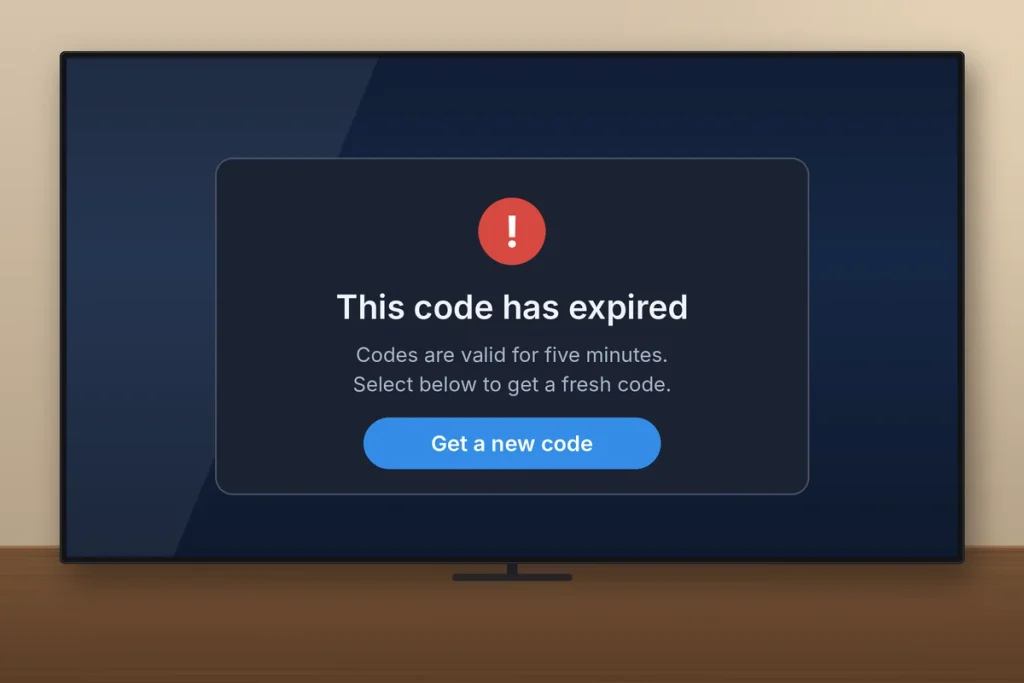
- The code expired. Fubo codes are valid for five minutes. Go back on your TV, request a new code, refresh the fubo.tv/connect page, and enter the new one.
- You mistyped a character. Letters like O and 0, or I and 1, trip people up. Read the code slowly from the TV, not from memory.
- You’re signed in to the wrong account. If your household has two Fubo logins, check the email shown on the connect page before you submit.
- Your subscription isn’t active. A canceled plan or failed payment blocks the code. Log in at fubo.tv, check your account status, and update your card if needed.
- The app is out of date. Update the Fubo app or restart the device so it pulls the latest version.
- A VPN is on. Turn off any VPN on your phone or computer. Fubo checks location for local channels, and a VPN can confuse it.
- Your Wi-Fi is flaky. Unplug your router for 30 seconds, plug it back in, and try again.
Still stuck? Fubo’s backup option works every time: on the TV’s sign-in page, choose Sign In With Email and type your login with the remote. It’s slower, but it skips the code entirely.
Watch Out for Fake fubo.tv/activate Sites
Search “fubo.tv/activate” or “fubo tv link” and you’ll find pages built on free website builders with addresses like fubo.tv/link6 or fubo.tv/link1 in their titles. Plenty of them aren’t run by Fubo. Some just collect ad clicks. Others push a phone number for “activation support” and then ask for remote access to your computer or a payment.
Here’s the rule I give everyone: Fubo never charges a fee to activate a device, and the code only goes on fubo.tv/connect. If a site asks you to call a number, install software, or pay with a gift card, close it. The Federal Trade Commission explains how these schemes work in its guide to spotting and avoiding tech support scams.
Setting up another service too? Our guide to entering your code at amazon.com/mytv walks through the same kind of TV code sign-in for Prime Video.
Frequently Asked Questions
Is fubo.tv/activate the official Fubo activation page?
Fubo’s help center tells you to enter your TV code at fubo.tv/connect, so that’s the page to trust. Many people search for fubo.tv/activate, and that’s fine, but if the address doesn’t open a code box, type fubo.tv/connect directly into your browser. Avoid look-alike sites from search results that show phone numbers.
How long does a Fubo activation code last?
A Fubo activation code is valid for five minutes, according to Fubo’s support site. If you get an error after typing it in, the code has probably expired. Go back to the sign-in screen on your TV to get a new code, refresh the fubo.tv/connect page in your browser, and enter the fresh code right away.
Why is my Fubo code not working?
When fubo.tv/activate fails, the usual causes are an expired code, a mistyped character, signing in to the wrong Fubo account, or an inactive subscription. Request a new code, double-check each character, and confirm your plan is active at fubo.tv. If it still fails, choose Sign In With Email on your TV and log in with your remote instead.
Can I sign in to Fubo on my TV without a code?
Yes, you can skip fubo.tv/activate. On the sign-in screen of your TV or streaming device, choose Sign In With Email and type your email address and password with the remote. It takes longer than the code method, but it works on every supported device and is the best fallback when the activation code keeps failing or your phone isn’t handy.
Does it cost money to activate Fubo on a TV?
No. Activating Fubo on a TV through fubo.tv/activate is free. You only pay for your Fubo subscription itself. Any website or phone line that asks for a fee, a gift card, or remote access to your computer to activate Fubo is a scam, and you should close it and report it to the FTC at ReportFraud.ftc.gov.
What devices can I activate Fubo on?
Fubo supports Roku, Amazon Fire TV, Apple TV, Android TV and Google TV, and Xbox, plus Samsung, LG, Vizio, and Hisense VIDAA smart TVs. You can also watch in a web browser or on iPhone, iPad, and Android phones. Older devices that no longer get system updates may lose support.
Ready to Stream? Your Next Step
Grab your remote and your phone, open Fubo, and choose Sign In With A Code. Then type fubo.tv/connect yourself, enter the code within five minutes, and you’ll be watching in under a minute. If the code fails twice, skip the frustration and use Sign In With Email. Bookmark this fubo.tv/activate guide so it’s handy the next time you set up a new TV.