A MetaMask wallet takes about five minutes to set up on Chrome, Firefox, Android or iPhone, as long as you download it from the official source and back up your Secret Recovery Phrase before you add a single dollar. This guide walks you through every step, from the first download to restoring a lost wallet and fixing the errors people hit most often.
I’ve set up MetaMask on more browsers and phones than I can count, and nearly every horror story I’ve heard traces back to one of two mistakes: a fake download or a recovery phrase saved somewhere careless. Get those two right and running a MetaMask wallet is easy.
Key Takeaways
- Only download MetaMask from metamask.io, the Chrome Web Store, Firefox Add-ons, the Apple App Store or Google Play.
- Your 12-word Secret Recovery Phrase is your MetaMask wallet. Write it on paper, never in a photo, email or notes app.
- You can now create a MetaMask wallet with a Google or Apple account instead of writing down a phrase, but you can’t reset that password if you forget it.
- Most problems (stuck transactions, missing tokens, a frozen extension) have simple fixes that don’t put your funds at risk.
- MetaMask support will never call you, text you or ask for your recovery phrase.
What Is a MetaMask Wallet?
MetaMask is a self-custodial crypto wallet built by Consensys. “Self-custodial” means no bank or exchange holds your coins. You hold the keys, which is great for control and unforgiving if you lose them.
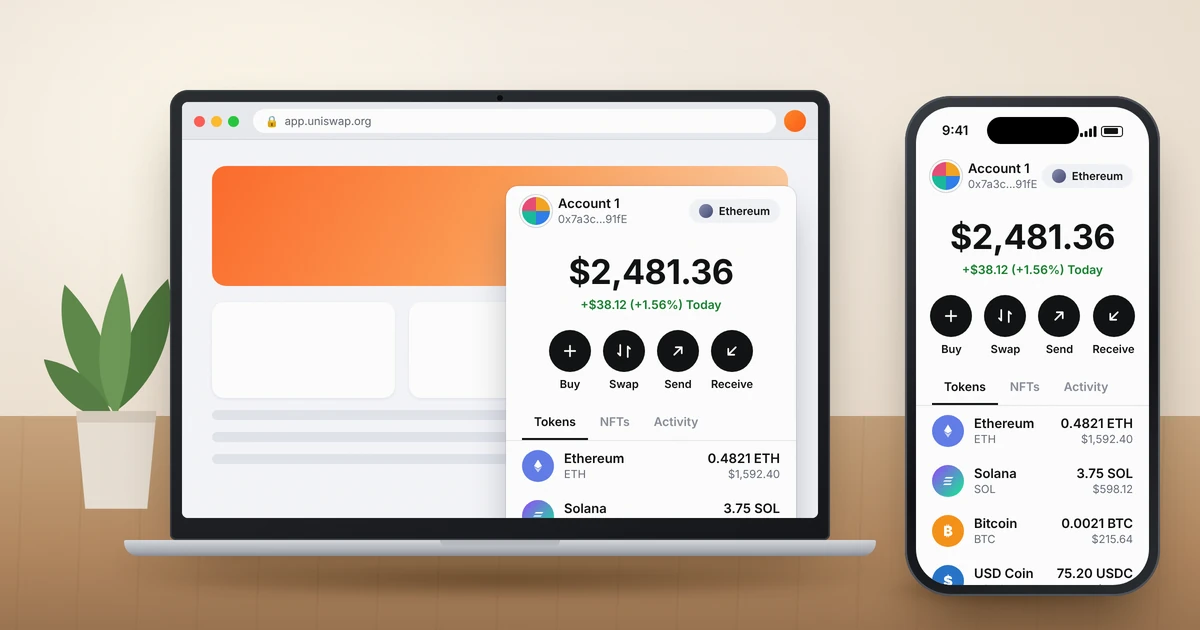
It started as an Ethereum wallet, but it’s now multichain. A single MetaMask wallet account holds an Ethereum-compatible address, a Solana address and a Bitcoin address, and Bitcoin support arrived in December 2025. You also use it to connect to decentralized apps such as Uniswap or OpenSea.
Is a MetaMask wallet safe? The software has a long track record. The real risk sits with the user: phishing sites, fake apps and scammers posing as support. Treat it like cash in your pocket, not like a bank account with fraud protection.
Where to Download MetaMask Wallet Safely
This is where most people get burned. Search ads and look-alike pages for MetaMask are everywhere, and some fake apps have even slipped into official app stores. Here’s where the real versions live.
| Platform | Official source | What to check |
|---|---|---|
| Chrome, Brave | Chrome Web Store (linked from metamask.io) | Publisher listed as MetaMask, millions of users |
| Firefox | addons.mozilla.org | Developer listed as MetaMask |
| Microsoft Edge | Edge Add-ons or Chrome Web Store | Link opened from metamask.io |
| iPhone and iPad | Apple App Store | Seller shown as MetaMask or Consensys |
| Android | Google Play Store | Developer shown as MetaMask, huge download count |
My habit: type metamask.io into the address bar yourself and click the download link from there. Don’t click a sponsored search result. Safari on Mac isn’t supported, so Mac users should install Chrome, Brave, Edge or Firefox.
How to Install MetaMask on Chrome and Firefox
The MetaMask wallet browser extension is the version you’ll want for desktop trading, NFT marketplaces and most DeFi apps. Installation takes under a minute.
Install MetaMask on Chrome (also Brave and Edge)
- Open metamask.io and click Download, then choose Chrome.
- On the Chrome Web Store page, click Add to Chrome, then Add extension.
- Click the puzzle-piece icon in the toolbar and pin MetaMask so the icon stays visible.
- A new tab opens with the MetaMask wallet setup screen. Keep it open and jump to the setup section below.
Install the MetaMask Firefox Extension
- Open Firefox and go to metamask.io, then click Download and choose Firefox.
- On the Firefox Add-ons page, click Add to Firefox and approve the permissions prompt.
- Check the box to pin the extension to the toolbar if Firefox offers it.
- The welcome screen opens automatically.
One tip people miss: run only one wallet extension at a time while you’re learning. Having MetaMask, Coinbase Wallet and Phantom all active can make dApps pop up the wrong wallet.
How to Install the MetaMask Wallet App on Android and iPhone
The MetaMask app gives you the same MetaMask wallet in your pocket, plus a built-in browser for dApps and Face ID or fingerprint login.
Android
- Open the Google Play Store and search “MetaMask.”
- Confirm the developer is MetaMask and the download count is in the millions, then tap Install.
- Open the app and tap Get started.
iPhone
- Open the App Store and search “MetaMask.”
- Check the seller name, skip any ad listed above the real result, and tap Get.
- Open the app, allow Face ID when asked, and tap Get started.
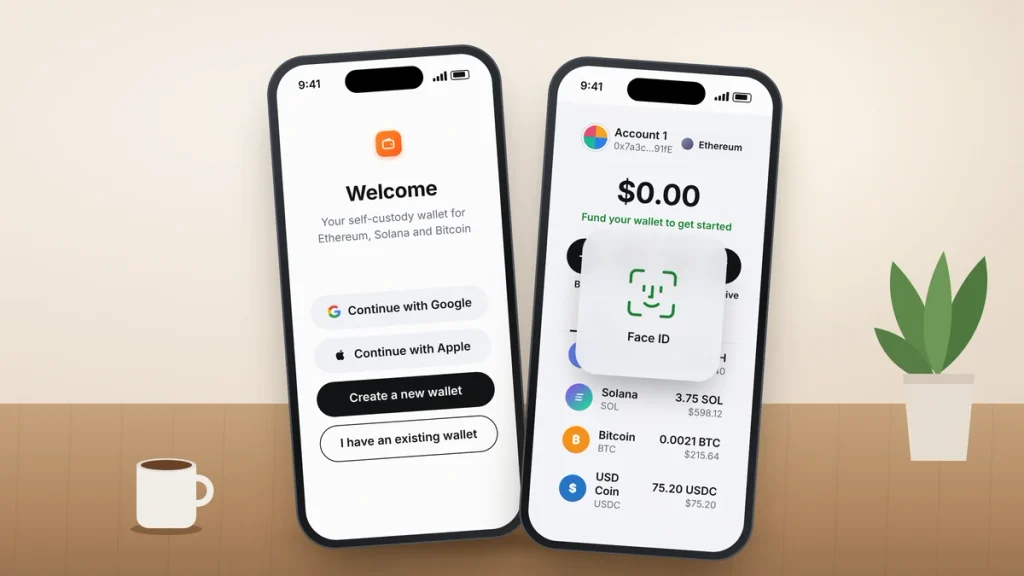
MetaMask Wallet Setup: Create a New Wallet
When you first open the app or extension, you’ll pick between creating a new wallet and importing an existing one. For a brand-new MetaMask wallet, you now have two ways to do it.
Option 1: Create a Wallet With a Secret Recovery Phrase
- Choose Create a new wallet and agree to the terms.
- Set a strong password of at least 8 characters. This password only protects the wallet on this one device.
- Reveal your 12-word Secret Recovery Phrase and write the words, in order, on paper.
- Confirm the phrase by selecting the requested words. Don’t skip this step.
Option 2: Create a Wallet With Google or Apple
Since August 2025, MetaMask lets you sign in with a Google or Apple account and set a password, and it generates the recovery phrase behind the scenes. It’s friendlier for beginners, but there’s a trade-off you should know before choosing it.
| Feature | Recovery phrase | Google or Apple login |
|---|---|---|
| What you must keep safe | 12 words on paper | Your social account and your MetaMask password |
| Forgot your password | Reset it with the phrase | No reset; you can’t get back in without it |
| Add to an existing wallet later | Not applicable | Not currently possible |
| Best for | Anyone holding real money | Small balances and first-timers |
My recommendation: if you’ll keep more than a few hundred dollars in it, use the recovery phrase method and store it properly. If you do choose social login, write the password down and store it like a house key.
How to Back Up Your Secret Recovery Phrase the Right Way
Anyone who sees these 12 words owns your MetaMask wallet and everything in it. Full stop. Here’s what actually works for regular people.
- Write it on paper, twice. Keep one copy at home in a fireproof box and another in a second secure place, such as a bank safe deposit box.
- Never photograph it, email it to yourself, save it in Google Drive or iCloud, or paste it into a notes app. Cloud accounts get hacked.
- Consider a steel backup plate (about $25 to $50) if you’re holding a serious amount. Paper doesn’t survive a house fire or flood.
- Test your backup before funding the MetaMask wallet by restoring it on a second device or browser.
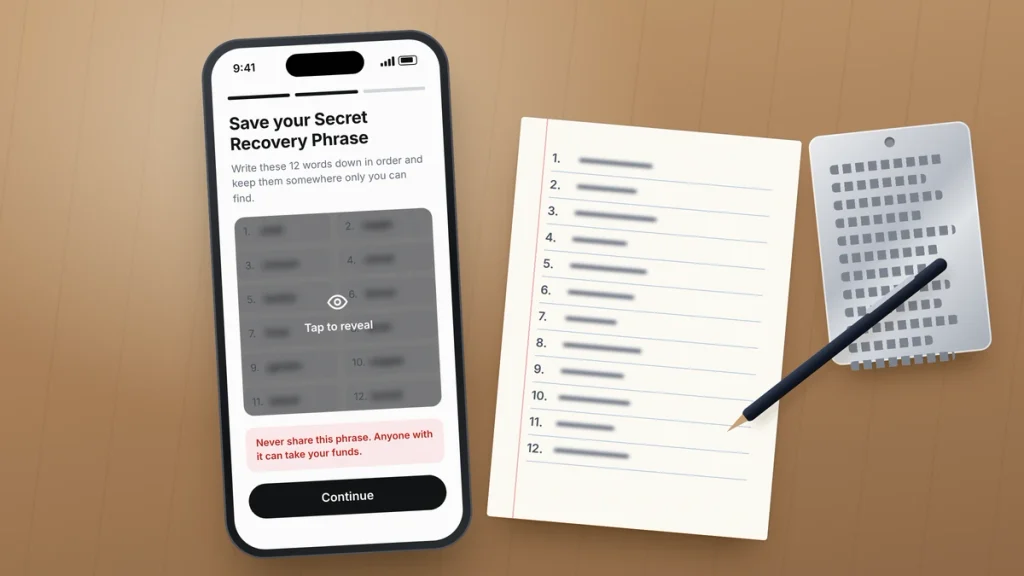
MetaMask Wallet Recovery: Restore on a New Device
Got a new phone, wiped a laptop or forgot your MetaMask wallet password? MetaMask wallet recovery is straightforward if you have your phrase. Your crypto lives on the blockchain, not on your device, so restoring simply reconnects you to it.
Restore on the Chrome or Firefox Extension
- Install MetaMask fresh, then click I have an existing wallet.
- Choose to import with a Secret Recovery Phrase.
- Type each word into its own box in lowercase, in the original order.
- Create a new password and finish.
Restore on Android or iPhone
- Open the new install and tap Import using Secret Recovery Phrase.
- Type all 12 words in one field, lowercase, with a single space between words and no trailing space.
- Set a password, turn on Face ID or fingerprint, and you’re in.
If you created your wallet with Google or Apple, pick that option instead, sign in with the same account and enter your MetaMask password.
Forgot Your MetaMask Password?
MetaMask can’t reset your password for you because it’s stored only on your device. On the extension, open the menu and choose Lock MetaMask, then click Forgot password on the lock screen and enter your recovery phrase. You’ll set a new password and your accounts stay intact.
Missing Accounts or Tokens After Restoring
Don’t panic if your MetaMask wallet balance looks wrong. MetaMask automatically restores accounts created from your phrase that hold a balance, but it stops at the first empty one, so you may need to click Add account a few times. Accounts you imported with a private key and hardware wallet accounts aren’t part of the phrase, so add those back manually. Some tokens also need to be re-imported before they show up.
MetaMask Wallet Troubleshooting: Common Problems and Fixes
Here’s a quick map of the issues readers ask about most, with the fix that usually works first.
| Problem | Try this first |
|---|---|
| Extension won’t open or shows a blank popup | Toggle MetaMask off and on in your browser’s extension manager, then restart the browser |
| Mobile app freezes or crashes | Update the app, restart the phone, then reinstall and restore from your phrase |
| Transaction stuck on Pending | Use Speed up or Cancel on the pending transaction |
| Balance shows $0 or a token is missing | Check you’re on the right network and account, then import the token |
| dApp won’t connect | Disable other wallet extensions and reconnect from the site’s Connect button |
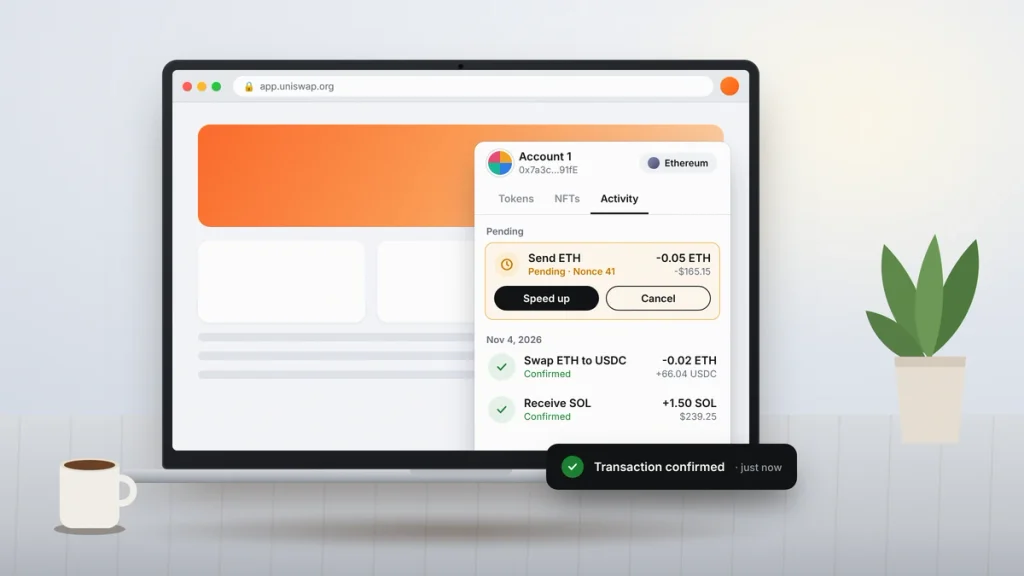
MetaMask Extension Not Working on Chrome or Firefox
Before you restart anything, make sure you know your password, because restarting locks your MetaMask wallet. In Chrome, open chrome://extensions; in Firefox, open about:addons. Switch MetaMask off and back on, then fully quit and reopen the browser. If that fails, update the browser and clear the cache for the site you’re using (not the extension data).
Transaction Stuck on Pending
This almost always means the network fee was too low when the network got busy. Open the transaction in the Activity tab and choose Speed up to pay a higher fee, or Cancel to replace it. You can only cancel while it’s still pending, and both options cost gas. Check the transaction on Etherscan first, because confirmed transactions can’t be reversed.
Balance Shows Zero or Tokens Are Missing
Nine times out of ten, the MetaMask wallet is on the wrong network or the wrong account. Switch networks from the network menu and check each account. If the token still isn’t listed, use Import tokens and paste the contract address from the project’s official site or a block explorer, never from a random Telegram message.
“Invalid Secret Recovery Phrase” Error
Check for typos, extra spaces, capital letters and words that look alike (such as “near” and “next”). Every word comes from a fixed 2,048-word list, so a misspelled word will always fail. If you wrote down only 11 words, you’ll need to find the missing one.
When to Reset Your Account
If transactions keep failing after a stuck one cleared, the Advanced settings include an option to clear activity tab data. It wipes local transaction history but doesn’t touch the funds in your MetaMask wallet. A full wallet reset is different: it removes the wallet from the device, so only do it if your recovery phrase is in hand.
MetaMask Wallet Safety: Scams to Watch For
Search for “MetaMask support” and you’ll find pages listing phone numbers. They’re scams. MetaMask doesn’t run a phone line; real help comes through the chat on the official MetaMask Help Center.
- No legitimate person or company will ever ask for your recovery phrase. Not support, not an airdrop site, not a “wallet validator.”
- Read every transaction request before you approve it. Unlimited token approvals are how wallet drainers empty accounts.
- Bookmark the dApps you use and open them from bookmarks, not from links in DMs.
- Keep large balances on a hardware wallet such as Ledger or Trezor, which connects to your MetaMask wallet.
If you get scammed, report it to the FTC at ReportFraud.ftc.gov and to the FBI’s Internet Crime Complaint Center at IC3.gov. The FTC’s guide What To Know About Cryptocurrency and Scams is worth ten minutes of your time. While you’re tightening security, set up two-factor sign-in on your email with our guide on how to set up Microsoft Authenticator, and keep an eye out for identity fraud by learning how to check your credit report for free.
Your Next Step With MetaMask
Download MetaMask from metamask.io or your phone’s official app store, create your MetaMask wallet, and write your recovery phrase on paper before you buy anything. Then do a test: send yourself $5 to $10 worth of crypto, restore the wallet on a second device, and confirm the balance shows up. Once that works, you know your MetaMask wallet backup is solid and you can use it with confidence.
Frequently Asked Questions
Is MetaMask wallet free to download?
Yes. The MetaMask wallet is free to download on Chrome, Firefox, Edge, Brave, iPhone and Android. You only pay network gas fees when you send crypto or interact with apps, plus a service fee if you use the built-in swap, bridge or buy features. Any site charging you to download MetaMask is a scam.
Can I recover my MetaMask wallet without the Secret Recovery Phrase?
Usually, no. If you created your MetaMask wallet with a recovery phrase and lost it, nobody can restore your accounts, including MetaMask. If you’re still logged in on a device, reveal the phrase in Settings right away and back it up. Wallets created with Google or Apple login can be restored with that account plus your password.
Does MetaMask work on Safari?
No. The MetaMask wallet doesn’t offer a Safari extension. On a Mac, install it on Chrome, Brave, Microsoft Edge or Firefox instead. On an iPhone, download the MetaMask app from the App Store and use its built-in browser to connect to decentralized apps, since Safari on iOS can’t run the wallet extension either.
Can I use the same MetaMask wallet on my phone and computer?
Yes. Import the same Secret Recovery Phrase on the mobile app and the browser extension, and both will show the same accounts and balances. Your crypto lives on the blockchain, so it isn’t split between devices. Each install has its own password, and imported private-key accounts must be added separately on each one.
Why is my MetaMask transaction pending for so long?
A transaction stays pending when the gas fee you paid is lower than what the network currently demands. Open it in the Activity tab and choose Speed up to pay a higher fee, or Cancel to replace it with a zero-value transaction. Both options cost gas, and a confirmed transaction can’t be canceled or reversed.
Does MetaMask have a customer service phone number?
No. MetaMask doesn’t offer phone support, so any number claiming to be MetaMask support belongs to a scammer. Get help only through the live chat at support.metamask.io. Real agents will never ask for your Secret Recovery Phrase, private keys or remote access to your computer, and they’ll never contact you first.