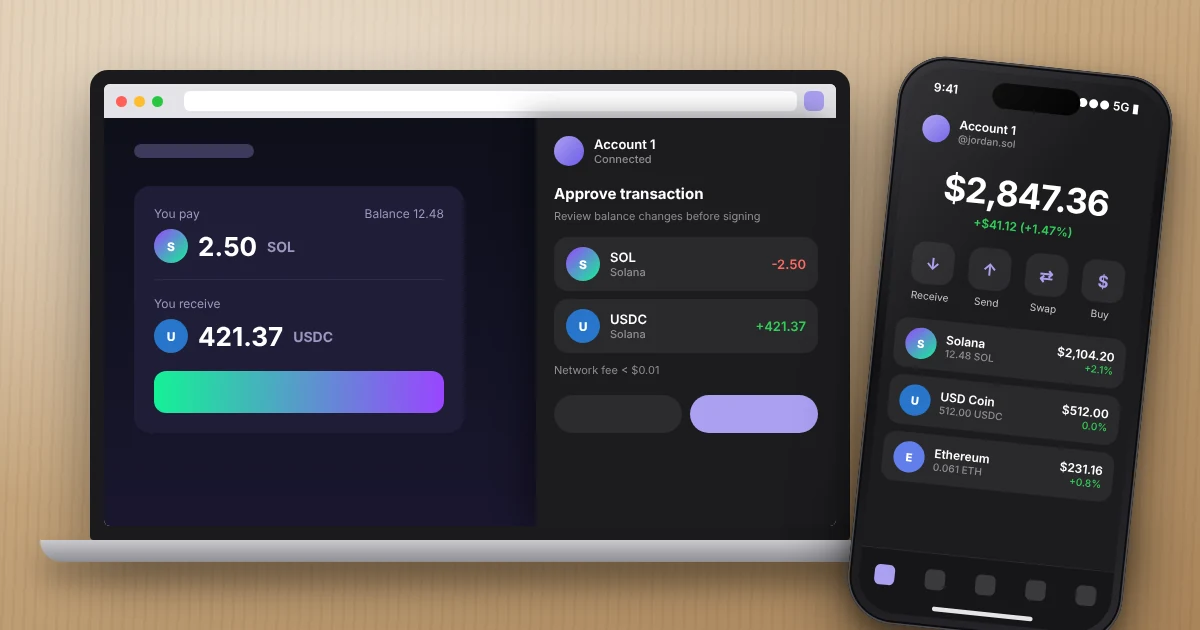
Phantom wallet is a free, self-custodial crypto wallet built first for Solana that now also handles Ethereum, Bitcoin, Base, Polygon, BNB Chain, and a few newer networks. You can hold SOL and SPL tokens, swap, stake, collect NFTs, and connect to Solana apps from your phone or Chrome. If you live in the US, it can even work as a spending account through Phantom Cash.
I’ve set up the Phantom wallet on more phones and laptops than I can count, for myself and for friends who were nervous about their first crypto purchase. This guide covers what it does, what it costs, how to set it up, and the handful of mistakes that actually cost people money.
Key Takeaways
- Phantom wallet is free to download on iPhone, Android, and Chrome. You pay network fees, plus a 0.85% fee on select in-app swaps.
- It’s self-custodial. Phantom can’t see or reset your recovery phrase, so your backup is the only way back in.
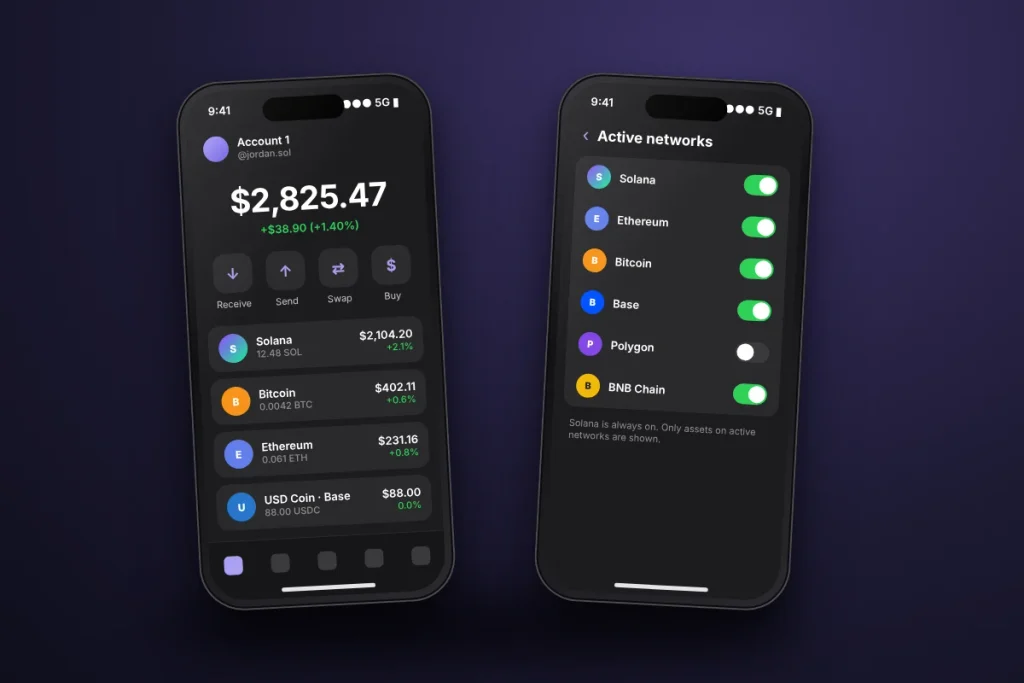
- As of November 2026 it supports nine networks, but not Arbitrum, Optimism, or Avalanche. Sui support ended on September 24, 2026.
- US users outside New York and Alaska can get Phantom Cash and a virtual Visa debit card after identity verification.
- Pair it with a Ledger hardware wallet if you hold more than you’d be comfortable losing.
What Is Phantom Wallet?
Phantom wallet is a non-custodial wallet, which means the private keys that control your crypto live on your device, not on a company server. Your coins are actually recorded on the blockchain. The wallet is just the tool that holds the keys and signs transactions for you.
It started in 2021 as a Solana wallet and quickly became the default choice for that ecosystem. Most Solana apps, from Jupiter to Magic Eden, put the Phantom button first on their “Connect Wallet” screen. That’s still where it shines. Solana transactions confirm in a second or two and usually cost a fraction of a cent, and Phantom’s interface is built around that speed.
Over the past few years it added Ethereum, Bitcoin, and other networks, so you can see everything in one portfolio view under a single recovery phrase. It’s not a bank account and it’s not an exchange like Coinbase. Think of it as a keychain plus a browser for crypto apps.
Phantom Wallet Supported Networks in 2026
This list changed several times this year, so check it before you send anything. According to Phantom’s supported networks page, here’s where things stand in November 2026:
| Supported in Phantom | Not supported |
|---|---|
| Solana (always on) | Arbitrum |
| Ethereum | Optimism |
| Bitcoin (Native SegWit and Taproot) | Avalanche |
| Base | Unichain |
| Polygon | Linea |
| BNB Chain | Sui (ended September 24, 2026) |
| HyperEVM | Monad (ended August 26, 2026) |
| Robinhood Chain | Custom RPC networks |
| Arc |
Two things trip people up here. First, you can’t add a custom network the way you can in MetaMask. If Phantom doesn’t list it, it doesn’t support it. Second, if you send tokens to your Phantom address over an unsupported network (say, withdrawing USDC from an exchange on Arbitrum), the funds aren’t lost, but you’ll need to import your key into an EVM wallet like MetaMask to move them. Pick the right network on the withdrawal screen and you’ll never deal with that headache.
You can turn networks on or off under Settings > Active networks. Solana can’t be switched off.
How to Set Up Phantom Wallet, Step by Step
Setup takes about five minutes. The only part you should slow down for is the backup.
Download Phantom WalletOn iPhone or Android
- Download the Phantom wallet app from the App Store or Google Play. Check that the developer is listed as Phantom Technologies, or go through phantom.com/download so you land on the real listing.
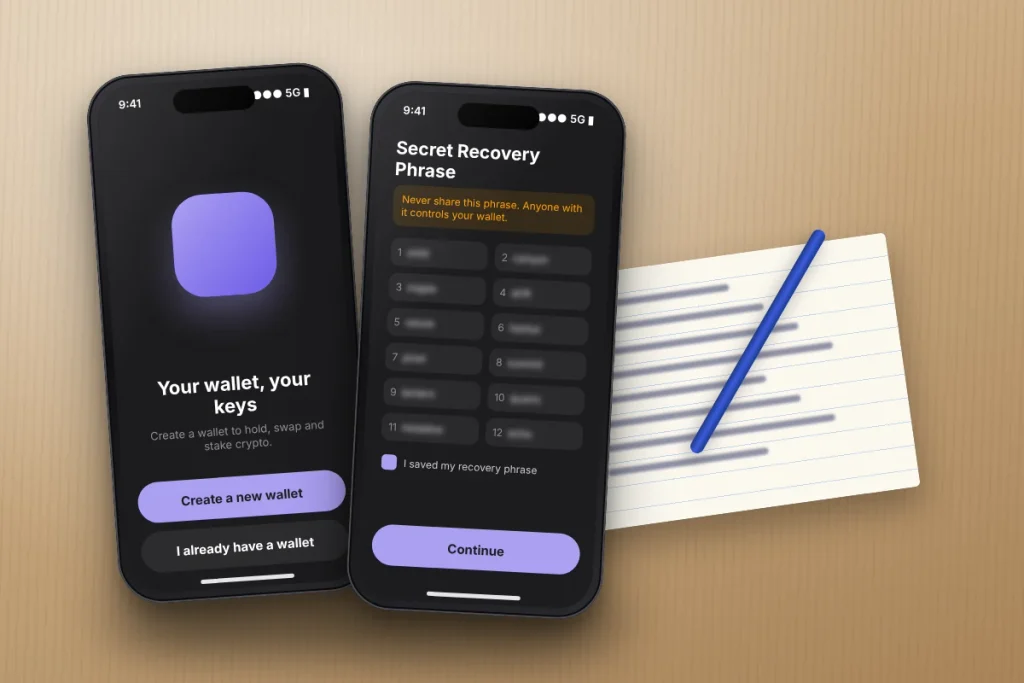
- Tap Create a new wallet.
- Choose a sign-in method: your Google or Apple account, or a classic 12-word recovery phrase.
- Set a PIN and turn on Face ID or fingerprint sign-in.
- Pick a username if you want people to send you crypto without pasting a long address.
Download Phantom Chrome Extension
- Install the extension from the official download page, not from a search ad. Fake extensions are the number one way people lose funds.
- Pin the purple icon to your toolbar so you always know which extension you’re clicking.
- Create a new wallet or import your existing one with your recovery phrase.
There’s no standalone desktop app. If you see a “Phantom for Windows” .exe file anywhere, it’s malware.
Recovery Phrase vs. Google or Apple Login
The Google or Apple option is easier for beginners because there’s no paper to lose. The recovery phrase gives you full portability, since any compatible wallet can restore it. My take: if you’re putting in a few hundred dollars to try Solana apps, the social login is fine. If you’re holding real savings, use a recovery phrase written on paper (or stamped in steel), stored somewhere fire-safe, and never typed into a phone note or photo.
Whichever you pick, the Phantom wallet team can’t recover it for you. Nobody from support will ever ask for your phrase.
How to Use Phantom Wallet in the Solana Ecosystem
Funding Your Wallet
On mobile, tap Deposit on the Home tab. You can buy crypto with a card or bank through partner providers, or copy your address and send funds from an exchange like Coinbase or Kraken. Keep at least 0.01 SOL in the wallet at all times. That small cushion covers network fees, and running out is the most common reason a swap or transfer fails.
Swapping Tokens
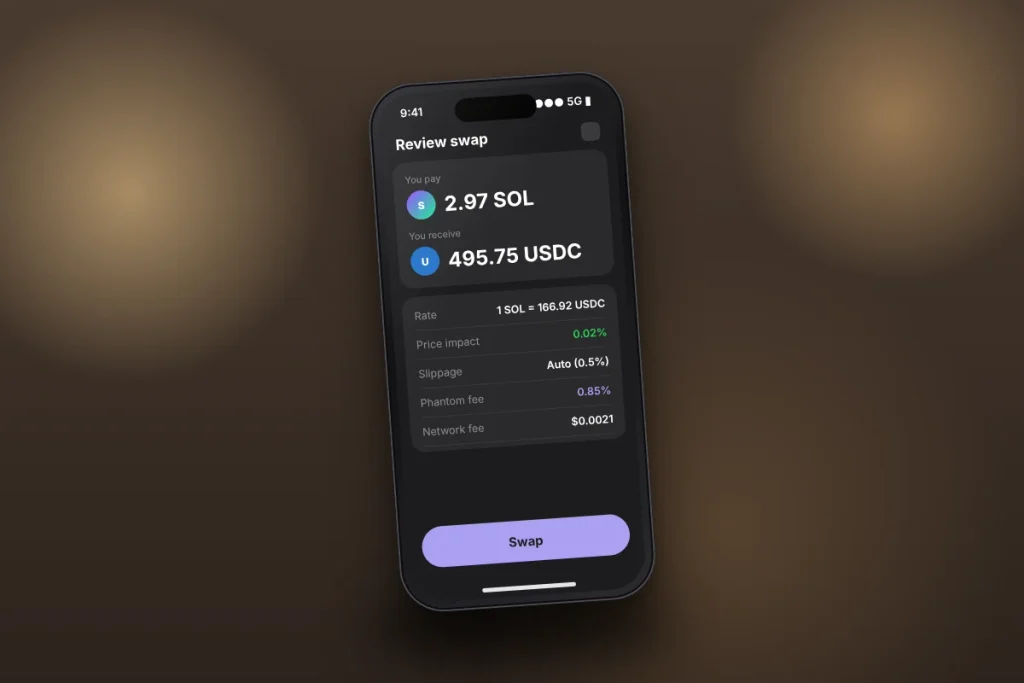
The Phantom wallet swapper routes your trade through decentralized exchanges to find a good price. Before you confirm, look at three numbers: price impact, slippage, and the fee line. On a thinly traded meme coin, price impact can be several percent, which costs far more than the swap fee. If a quote looks off, wait or trade a smaller amount.
Staking SOL
You can stake SOL right from the Phantom wallet app by delegating to a validator, or use liquid staking so you get a token you can still move around. Native staking takes an epoch or two (roughly two to four days) to activate and to unstake, so don’t stake money you might need this weekend.
Connecting to Solana Apps
When a site asks you to connect, the Phantom wallet pops up and shows what the app is requesting. Connecting only shares your public address. Signing a transaction is what moves money. Read every signing screen. If it shows assets leaving your wallet that you didn’t expect, reject it.
Phantom Wallet Fees Explained
Downloading and holding crypto in the Phantom wallet costs nothing. You pay when you transact. Here’s the breakdown from Phantom’s swap help page and its Cash fee schedule:
| Action | Fee |
|---|---|
| Sending or receiving crypto | Network fee only (paid in SOL, ETH, etc.) |
| In-app swap | 0.85% Phantom fee on select pairs, plus network fee |
| Cross-chain swap | Swap fee plus gas on both networks and a bridge fee |
| Add to Phantom Cash by debit card or Apple Pay | 1.75% |
| Add to Phantom Cash by credit card | 3.50% |
| Phantom Cash card purchases in the US | Free |
To put the swap fee in dollars: swapping $500 of SOL into USDC costs about $4.25 in Phantom’s fee, plus a network fee that’s usually under a penny on Solana. Ethereum gas is a different story and can run several dollars when the network is busy. If you trade often, you can connect Phantom to a DEX like Jupiter directly and compare the quote yourself.
Phantom Cash and the Debit Card (US Only)
Phantom Cash is a dollar balance inside the app, backed by a US dollar stablecoin called CASH on Solana. Per Phantom’s Cash help page, US residents (except New York and Alaska) can link a bank account, get account and routing numbers, and spend with a virtual prepaid Visa card through Apple Pay or Google Pay. The card is issued by Lead Bank, with Bridge as program manager.
You’ll need to verify your identity with your Social Security number to use the bank and card features. The rollout has been gradual, so some users still sit on a waitlist. If you live in Texas or California, you’re eligible once you clear the waitlist and verification. If you live in New York, you can still use the on-chain Cash account, just not the card or bank transfers.
Worth knowing: a prepaid card isn’t a bank account, so don’t assume FDIC insurance covers a stablecoin balance the way it covers a checking account.
Is Phantom Wallet Safe?
The software itself has a solid track record, with outside security audits and a public bug bounty. Almost every loss I’ve seen came from the user side: a fake extension, a phishing link in a Discord DM, or a “wallet support” account on X asking for a recovery phrase.
Here’s what keeps your Phantom wallet safe in practice:
- Download only from phantom.com/download or the official app stores.
- Never share your recovery phrase. Not with support, not with a “validator,” not with a site that says your wallet needs to be “synced.”
- Ignore airdropped tokens and NFTs you didn’t ask for. Phantom hides most spam, but clicking a scam token’s website is how drainers get you.
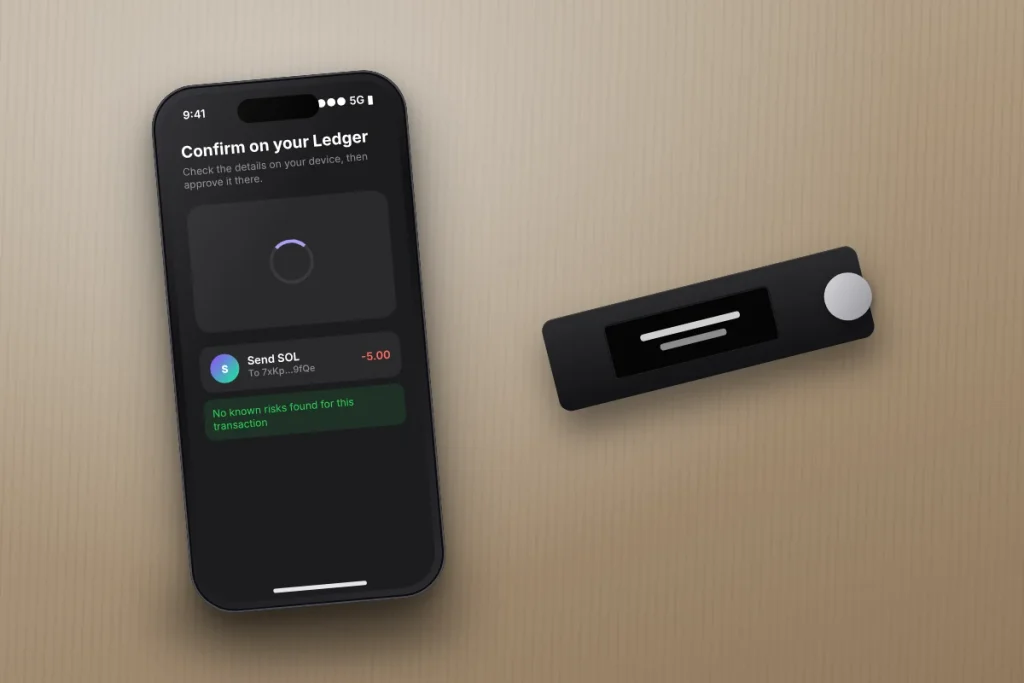
- Use a Ledger for larger balances. Phantom supports Ledger over USB on the extension and Bluetooth on mobile, so every transaction needs a physical button press.
- Secure the email behind your login. If you used Google sign-in, that Google account now guards your crypto. Turn on an authenticator app for it.
The Federal Trade Commission’s crypto scam guide is a good five-minute read before you fund anything.
Phantom vs. MetaMask: Which Should You Use?
If most of your activity is on Solana, use the Phantom wallet. It’s simply the better Solana experience, and it covers Bitcoin too. If you live on Ethereum layer 2 networks like Arbitrum or Optimism, or need custom networks, MetaMask is the better fit. Plenty of people run both. Our MetaMask wallet guide walks through that setup if you want a second wallet for EVM apps.
Crypto Taxes: What US Phantom Wallet Users Should Know
The IRS treats crypto as property. Swapping SOL for USDC inside the Phantom wallet is a taxable sale, even though no dollars hit your bank. Staking rewards count as income when you receive them. Because a Phantom wallet is self-custodial, it won’t send you a tax form the way an exchange might, so you’re responsible for tracking cost basis. Export your transaction history or use a crypto tax tool, and read the IRS digital assets page before tax season.
Your First Week With Phantom Wallet
Start small. Download Phantom wallet from the official site, back up your recovery phrase on paper, and send yourself $20 of SOL from an exchange. Make one swap, read every screen, and stake a little SOL to see how it works. Once you’re comfortable, set up a Ledger for anything you plan to hold long term, and lock down your email with Microsoft Authenticator or a similar app.
Frequently Asked Questions
Is Phantom wallet free to use?
Yes. Phantom wallet is free to download on iPhone, Android, and Chrome, and holding crypto in it costs nothing. You pay blockchain network fees when you send or swap, and Phantom charges a 0.85% fee on select in-app swaps. Funding Phantom Cash with a debit card or credit card also carries a small fee.
Is Phantom wallet safe for beginners?
Phantom wallet is considered safe and has been independently audited, but your security depends on your habits. Download it only from phantom.com or official app stores, never share your recovery phrase, ignore unknown tokens, and review every transaction before signing. For larger balances, connect a Ledger hardware wallet for extra protection.
Can I use Phantom wallet in the United States?
Yes. Phantom wallet works in all 50 states for holding, sending, swapping, and staking crypto. The Phantom Cash bank features and virtual Visa debit card are available in the US except New York and Alaska, and they require identity verification with a Social Security number. Some users may wait on a waitlist first.
What happens if I lose my phone with Phantom on it?
Your crypto stays safe on the blockchain. Install Phantom on a new device and restore your wallet with your 12-word recovery phrase, or sign in with the same Google or Apple account you used at setup. Phantom can’t recover your wallet for you, so without your backup method, the funds can’t be accessed.
Does Phantom wallet support Bitcoin?
Yes. Phantom wallet supports native Bitcoin using Native SegWit and Taproot addresses, so you can receive, hold, and send BTC alongside your Solana and Ethereum assets. It also supports Bitcoin Ordinals. Always confirm you’re sending on the Bitcoin network and not a wrapped version on another chain before you hit send.
How do I cash out from Phantom wallet to my bank?
Most people send crypto from Phantom to an exchange like Coinbase or Kraken, sell it for dollars, and withdraw to their bank. US users with Phantom Cash (outside New York and Alaska) can also withdraw dollars directly to a linked bank account by ACH after completing identity verification. Standard ACH withdrawals are free.