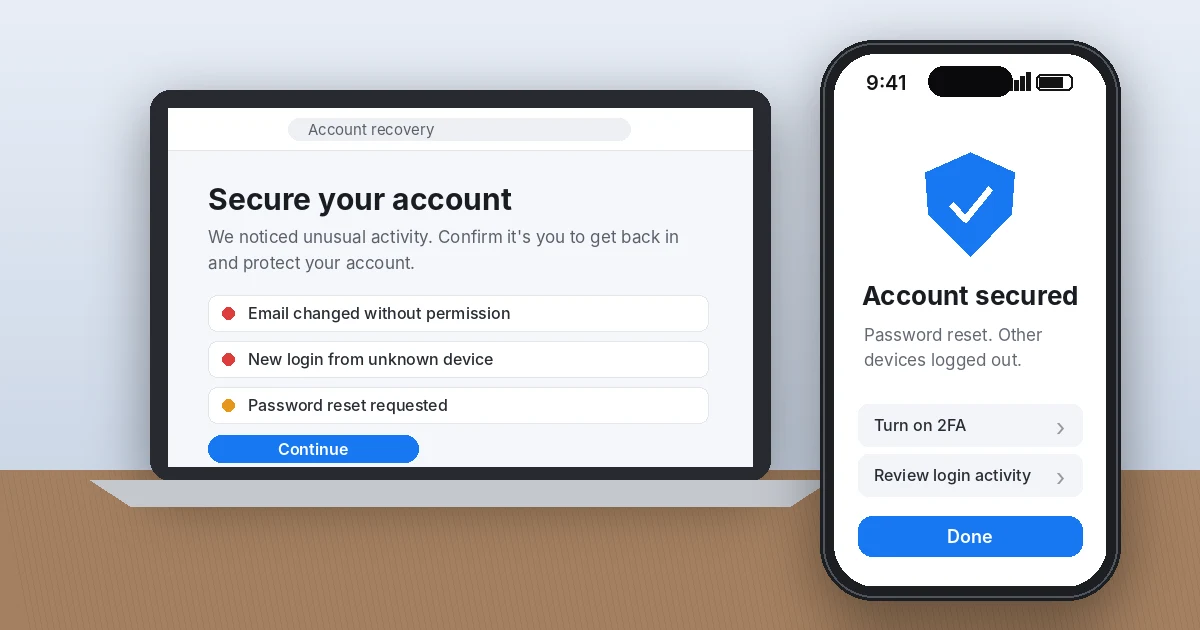
If your Facebook or Instagram account was hacked, go straight to Meta’s official recovery pages: facebook.com/hacked for Facebook and instagram.com/hacked for Instagram. Before you do, check your email for a security alert from Meta, because it often contains a one-click link to undo the hacker’s email or password change. Move fast. The first hour after a Facebook or Instagram account hacked alert is when you have the best shot at getting back in.
I’ve walked a lot of friends, small business owners, and one very stressed aunt in Ohio through this exact process. The good news: most people who follow the official steps in order get their account back. The bad news: the people who panic and pay a “recovery expert” on social media usually lose money and the account.
Key Takeaways
- Search your inbox for Meta’s “your email was changed” message first. Its secure your account or revert this change link is the fastest fix.
- Use only facebook.com/hacked and instagram.com/hacked. Meta never charges to recover an account.
- If the hacker changed your email and phone, Instagram may ask for a video selfie, and Facebook may ask for a photo ID.
- Once you’re back in, turn on two-factor authentication with an authenticator app and log out every unknown device.
- Report money lost through your hacked account to your bank and to the FBI at ic3.gov.
Is Your Facebook or Instagram Account Hacked? Signs to Watch For
Sometimes it’s obvious. Your password suddenly stops working. Other times, the hacker stays quiet for days while they use your account to scam your followers.
Watch for these red flags:
- You can’t log in, even with the password you know is correct.
- You got an email saying your email address, phone number, or password was changed, and you didn’t do it.
- Friends tell you they received strange DMs from you, often crypto “investment” pitches or “Can you send me a code?” requests.
- Posts, Stories, or Reels you didn’t make appear on your profile.
- Your name, birthday, or profile photo changed.
- Your card shows charges for Facebook or Instagram ads you never ran.
The Federal Trade Commission lists nearly the same signs in its guide to recovering a hacked email or social media account. If even one of these matches, assume your Facebook or Instagram account hacked status is real and start recovery now.
Step 1: Check Your Email for Meta’s Security Alert
This is the step most people skip, and it’s often the easiest fix. When someone changes the email on your account, Meta sends a notice to your old address.
- Facebook: look for an email from security@facebookmail.com. It includes a link that says something like “secure your account” if you didn’t make the change.
- Instagram: look for an email from security@mail.instagram.com. It usually includes a revert this change link.
Click that link, reset your password, and you may be back in within five minutes. For a Facebook or Instagram account hacked by someone who only swapped the email, this is often all it takes. Check your spam and “Promotions” folders too. One tip from experience: don’t trust a new email that arrives after the hack offering help. Hackers send fake “Meta Support” messages to finish the job. Open your email app and confirm the sender address character by character.
Step 2: Recover a Hacked Facebook Account
If the email link didn’t work or you never got one, here’s how to recover a hacked Facebook account through Meta’s official flow.
If you still know your email or phone number
- Open a browser and go to facebook.com/hacked.
- Choose the option that says your account was compromised.
- Enter the email or phone number tied to your account, or search by your name.
- Pick where to receive the security code and enter it.
- Create a new password you’ve never used anywhere else.
- Follow the prompts to review recent changes, posts, and apps.
If the hacker changed your email and phone
Go to facebook.com/login/identify, find your account, and tap No longer have access to these? Facebook will ask for a new email you control and may ask you to upload a photo of a government ID, such as a driver’s license or state ID card.
Here’s an insider tip that genuinely helps: use a phone or computer you’ve logged in from before, on your home Wi-Fi. Meta looks at familiar devices and locations when deciding whether you’re the real owner. Trying from a library computer or a new phone on hotel Wi-Fi makes you look like the hacker.
Step 3: Recover a Hacked Instagram Account
Instagram’s process to recover a hacked Instagram account is a little different, mainly because of the video selfie check.
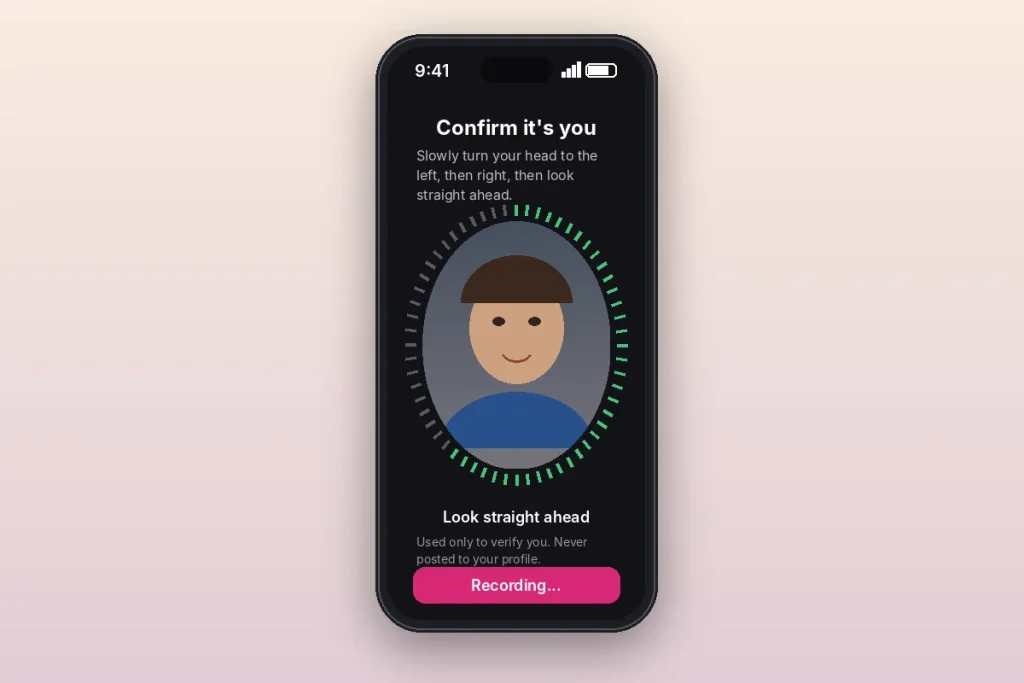
- In a browser, go to instagram.com/hacked. In the app, tap Forgot password? or Get help logging in on the login screen.
- Choose My account was hacked and enter your username, email, or phone number.
- If you still control the email or phone on file, Instagram sends a security code. Enter it and set a new password.
- If you don’t, Instagram asks you to verify your identity another way.
How the Instagram video selfie works
If your account has photos of you, Instagram may ask you to record a short video selfie turning your head in different directions. It compares this to photos on your profile. Instagram says the video is never shown on your profile and is deleted within 30 days.
From what I’ve seen, rejections usually come down to bad conditions, not identity. Take off your glasses and hat, face a window during the day, hold the phone at eye level, and move your head slowly. If your account has no photos of your face (say, it’s a bakery’s page), Instagram will ask for details like the email you signed up with and the type of device you used, so dig those up before you start.
What to Do If the Recovery Request Keeps Failing
This is where people with a Facebook or Instagram account hacked for days get frustrated, and honestly, it’s fair. Meta doesn’t publish a recovery timeline, and there’s no phone number to call. Here are your real options:
| Option | Best for | What to know |
|---|---|---|
| Retry from a familiar device | Everyone | Wait 24 hours between attempts so you don’t trigger rate limits. |
| Meta’s Account Recovery and Support hub | Facebook and Instagram users | Central help page at meta.com for hacked and locked accounts. |
| Meta Verified support | Users with another active account | Paid subscription that includes live chat support from Meta. |
| Meta Business Help Center | Pages and ad accounts | Businesses that run ads usually get faster human help. |
One blunt piece of advice: never pay anyone who DMs you, comments on your post, or advertises on X or TikTok promising to recover your account. The Better Business Bureau and the FTC both warn that these “recovery hackers” are scams. Only Meta can restore a Meta account.
Step 4: Lock Down Your Account After You Get Back In
Getting back in is only half the job of fixing a Facebook or Instagram account hacked by a scammer. Hackers often leave a back door so they can return next week. Do all of this in one sitting.
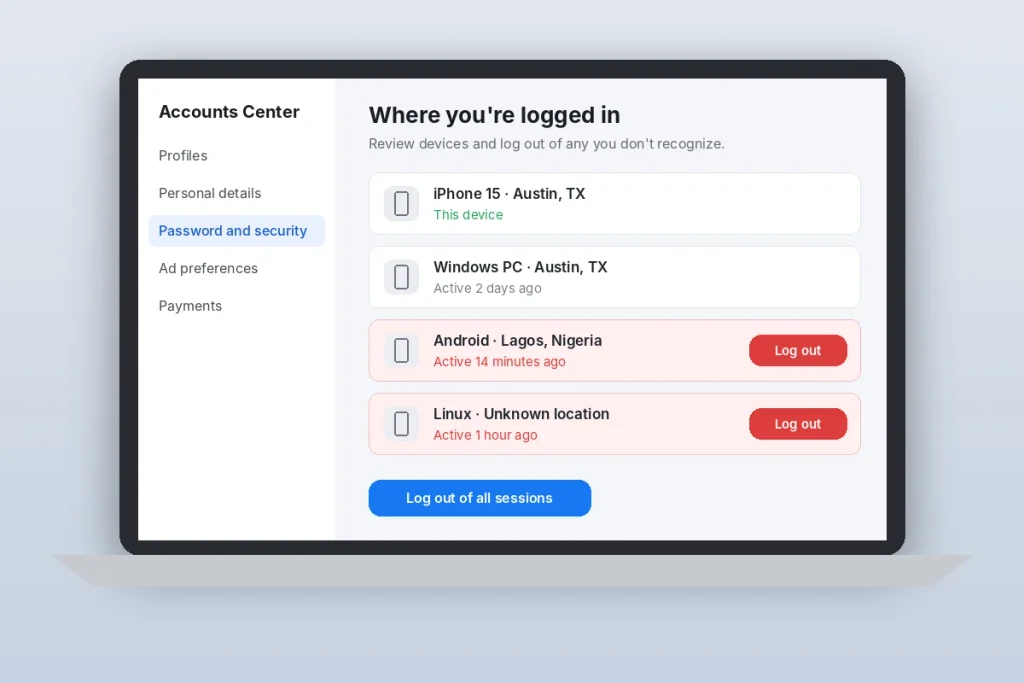
- Log out unknown devices. Open Accounts Center, then Password and security, then Where you’re logged in. Remove every device you don’t recognize. Seeing a login from Lagos or Hanoi when you live in Texas? That’s the hacker.
- Check your contact info. Remove any email or phone number you didn’t add.
- Reset your email password too. If the hacker got into your Gmail or Outlook, they can reset Meta again whenever they want.
- Remove strange apps. Review apps and websites connected to your account and delete anything unfamiliar.
- Check Pages, ad accounts, and payment methods. Remove admins you don’t know and look at your ad billing for charges.
- Delete posts and messages the hacker sent, then post a quick note telling friends to ignore recent DMs from you.
Turn on two-factor authentication the right way
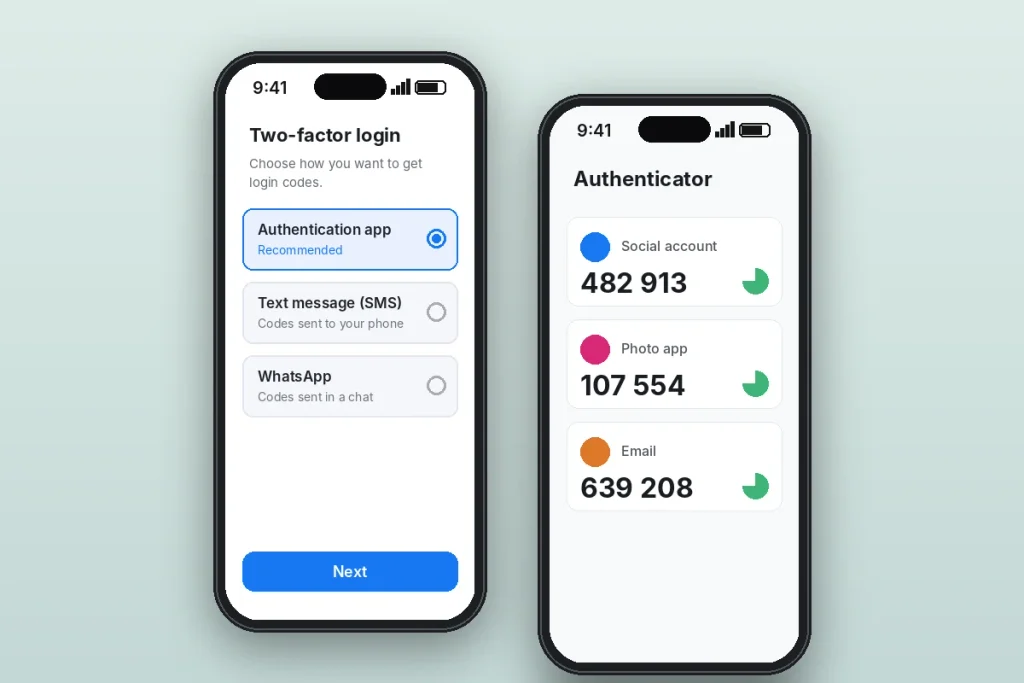
In Accounts Center, go to Password and security, then Two-factor authentication. Choose an authentication app like Google Authenticator or Microsoft Authenticator instead of text messages. SIM-swap scams can steal your texts, but they can’t steal the codes inside an app. Save your backup codes somewhere offline, like a note in your fireproof safe or a password manager.
Did the Hack Cost You Money? Report It
If the hacker ran ads on your card or scammed your followers, report it beyond Meta.
- Your bank or card issuer: dispute unauthorized charges right away. Under federal rules, reporting quickly limits your liability.
- The FBI’s Internet Crime Complaint Center: file at ic3.gov if money was lost.
- The FTC: report fraud at ReportFraud.ftc.gov, or go to IdentityTheft.gov if the hacker used your personal details to open accounts.
- Your credit: if your SSN or ID photo may have leaked, consider a free credit freeze with Equifax, Experian, and TransUnion.
Some states add their own help. California, for example, lets residents file complaints with the state Attorney General’s office, and many states run cybercrime units through state police. Check your state attorney general’s website.
How Hackers Usually Get In (So It Doesn’t Happen Again)
In almost every case I’ve helped with, the hack started with one of three things:
- Fake “copyright violation” or “verification badge” messages that lead to a look-alike login page.
- A friend’s hacked account asking you for a code. That code was your own login code. Never share it.
- Reused passwords leaked from another site’s data breach.
Use a unique password for Facebook, another for Instagram, and a password manager to keep track. Before typing your password anywhere, check that the address bar shows facebook.com, instagram.com, or meta.com and nothing extra.
Frequently Asked Questions
How long does it take to recover a hacked Facebook or Instagram account?
If you use the security email link or receive a code, recovery can take minutes. Identity checks like an Instagram video selfie or a Facebook ID upload often take one to several days. Meta doesn’t publish an official timeline, so keep checking the email address you gave during recovery, including the spam folder.
Can I call Facebook or Instagram to recover my hacked account?
No. Meta does not offer a public phone line for account recovery. Any phone number claiming to be “Facebook support” in search results or comments is almost certainly a scam. Use facebook.com/hacked or instagram.com/hacked, or Meta Verified chat support if you subscribe through another account you still control.
Can I recover my account if the hacker changed my email and phone number?
Yes, in many cases. Facebook lets you choose “No longer have access to these?” and verify with a photo ID. Instagram may ask for a video selfie or details like your original sign-up email and device. Try from a phone or computer you’ve used before on your usual Wi-Fi to improve your chances.
What if Instagram keeps rejecting my video selfie?
Rejections are often caused by poor lighting, glasses, or moving too fast. Record in daylight facing a window, remove hats and glasses, and turn your head slowly. Wait about 24 hours between attempts. If your account has no clear photos of your face, Instagram will verify you with account details instead.
Should I delete my account after it was hacked?
Usually not. Deleting it won’t undo any damage, and you’ll lose your photos, contacts, and messages. Recover it, change your passwords, remove unknown devices, and turn on app-based two-factor authentication. If the hacker deleted or disabled it, request a review through Meta’s help pages quickly.
Your Next Step Right Now
Open your email and search for “Facebook” or “Instagram” from the last 48 hours. If there’s a security alert, use its link. If not, go to facebook.com/hacked or instagram.com/hacked and follow the steps above from a device you’ve used before. The moment you’re back in, set up two-factor authentication with an app, not texts. Ten minutes of setup today means you’ll never have to search “Facebook or Instagram account hacked” again.
Want to go further? Read our guide on how to set up Microsoft Authenticator for app-based codes, and if the hacker saw your personal details, learn how to check your credit report for free.