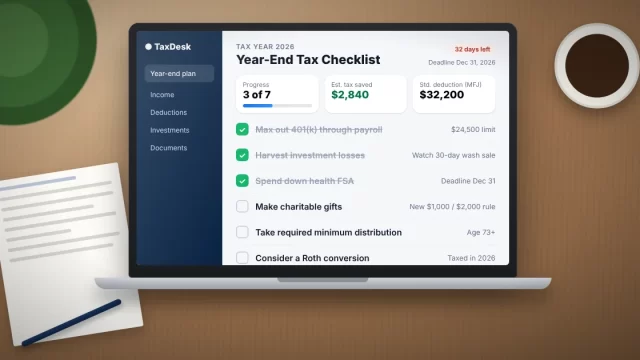
The fastest way to check your tax refund status is the IRS Where’s My Refund tool at IRS.gov/refunds. Enter your Social Security number (or ITIN), your filing status, and the exact refund amount from your return, and it shows you where your money is. Your tax refund status appears about 24 hours after you e-file a current-year return, or roughly four weeks after you mail a paper one.
Below, you’ll learn what each tax refund status message means, how long refunds take in 2026, and when it’s worth calling the IRS.
Key Takeaways
- Use Where’s My Refund, the IRS2Go app, or your IRS Online Account to check your tax refund status for free.
- You need your SSN or ITIN, filing status, tax year, and exact refund amount.
- Most e-filed refunds arrive within 3 weeks. Paper returns take 6 weeks or more.
- Your tax refund status updates once a day, overnight, so checking every hour won’t help.
- No direct deposit info on your return? The IRS may freeze your refund and mail you a CP53E notice.
What You Need Before You Check Your Tax Refund Status
Grab a copy of your tax return first. The IRS refund tracker asks for four details, all printed on that return:
- Social Security number or ITIN
- Filing status, such as single, married filing jointly, or head of household
- Tax year you’re checking
- Exact refund amount shown on your Form 1040
The refund amount trips up more people than anything else. Use the figure on the return you filed, not a software estimate or a rounded number. If you split your refund into two or three accounts, enter the total. Lost your copy? You can pull a transcript from your IRS Online Account in a few minutes.
How to Check Your Tax Refund Status Online, Step by Step
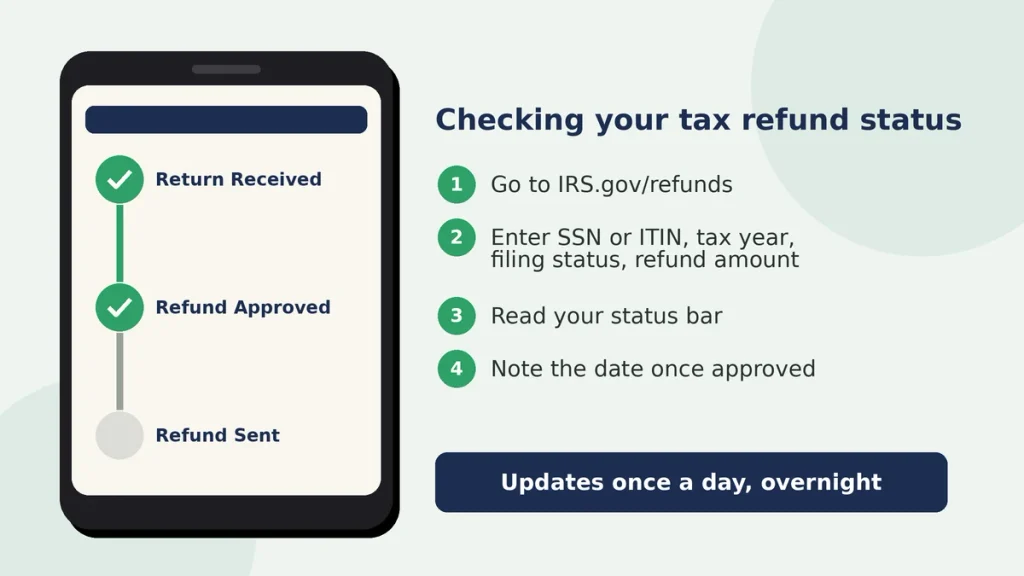
Where’s My Refund doesn’t require a login. Here’s how to check your tax refund status in under two minutes:
- Step 1: Go to IRS.gov/refunds and choose the option to check without signing in. Type the address yourself rather than clicking a link in a text or email.
- Step 2: Enter your SSN or ITIN, select the tax year, pick your filing status, and type the exact refund amount.
- Step 3: Submit, then read your tax refund status bar and any message under it.
- Step 4: If your refund is approved, note the date shown. That’s when the IRS plans to send the money.
One small timing tip: the tool goes offline for maintenance most mornings, generally between 4 and 5 a.m. Eastern time, while the IRS loads the overnight update. If it won’t load at dawn, that’s why.
Other Ways to Check: IRS2Go, Your Online Account, and the Hotline
The IRS2Go app
The official IRS2Go app for iPhone and Android shows the same tax refund status as the website. It’s handy on the go, but it won’t show anything the web tool doesn’t.
Your IRS Online Account
This is the option I’d pick if you check more than once. Once you sign in and verify your identity, your account shows your tax refund status without asking for the refund amount, plus your transcripts and amended return status. The IRS has also added refund email notifications here, so you can stop refreshing and let the update come to you.
A tip from people who do this for a living: open your account transcript and look for transaction code 846. That code means the refund has been issued, and it sometimes shows up before the tracker catches up.
The automated refund hotline
Call 800-829-1954 for an automated tax refund status check, or 866-464-2050 for amended returns. Both lines read you the same data the website shows, so they won’t get you a faster answer.
What Each Where’s My Refund Status Means
Your tax refund status moves through three stages. Here’s what each one tells you.
| Status | What it means | What to do |
|---|---|---|
| Return Received | The IRS has your return and is processing it. | Nothing. This stage takes the longest. |
| Refund Approved | Your refund is confirmed, and a send date is shown. | Watch for that date. |
| Refund Sent | The money left the IRS. | Allow up to 5 days for direct deposit, several weeks for a check. |
Sometimes the bar disappears and you get a text message instead. A note pointing you to Tax Topic 152 is general refund information and usually nothing to worry about. A reference to Tax Topic 151 usually means the IRS changed your return or is reviewing it, and a letter should follow by mail.
How Long Does a Tax Refund Take in 2026?
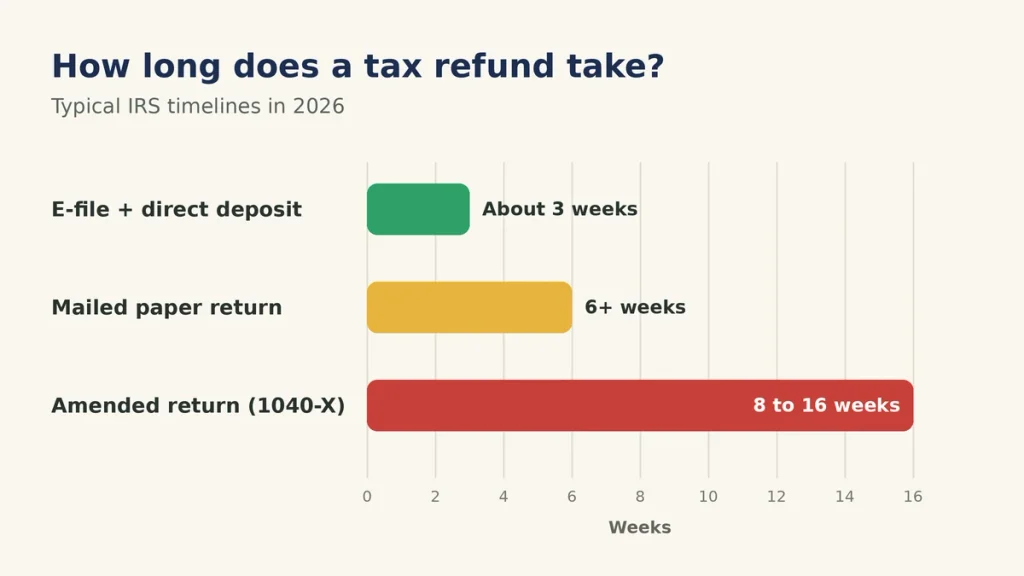
Your filing method sets the clock. These are the IRS’s own timelines for when your tax refund status shows up and when the money follows:
| How you filed | Status shows up | Typical refund time |
|---|---|---|
| E-filed, current-year return | About 24 hours | About 3 weeks |
| E-filed, prior-year return | About 3 days | About 3 weeks |
| Mailed paper return | About 4 weeks | 6 weeks or more |
| Amended return (Form 1040-X) | About 3 weeks | 8 to 12 weeks, up to 16 |
Claimed the Earned Income Tax Credit or the Additional Child Tax Credit? Federal law (the PATH Act) makes the IRS hold your entire refund until mid-February, not just the credit portion. For the 2026 filing season, the IRS said most of those early filers using direct deposit should see their money by March 2, 2026.
If you filed on extension by October 15, 2026, the same rules apply. An e-filed return with direct deposit still runs on roughly a three-week clock from the day the IRS accepts it.
The 2026 Paper Check Change That Can Freeze Your Refund
Under Executive Order 14247, the IRS began phasing out paper refund checks on September 30, 2025. In plain terms, the IRS now expects a bank account on your return. This is the biggest reason a tax refund status looks stuck this year.
Here’s how it works, according to the Taxpayer Advocate Service:
- If you file without direct deposit info, the IRS processes the return but freezes the refund.
- You’ll get a CP53E notice asking you to add bank details in your IRS Online Account (Profile, then Banking Information, then Add Bank Account).
- You generally have 30 days to respond. Do nothing, and the IRS mails a paper check after six weeks.
- If your bank rejects the deposit, most refunds are frozen too, not reissued automatically as checks.
Pay attention to this part: the CP53E notice is only sent once. If your second deposit attempt also bounces, you won’t get another chance to fix it online. Double-check the routing and account numbers before you hit submit. For a recorded explanation of the notice, call 866-325-4066.
Why Your Tax Refund Status Hasn’t Changed (and What to Do)
A tax refund status that sits on “Return Received” for a while is normal. It’s only a problem after the standard window passes. The usual causes, per the IRS:
- Simple errors, such as a math mistake or a missing signature on a paper return
- An EITC or ACTC claim, which adds the mid-February hold and extra review
- An identity check, where the IRS mails a letter asking you to verify who you are
- An injured spouse claim, which has to be processed by hand
- Missing or rejected direct deposit info (see the CP53E section above)
Only call the IRS if it’s been 21 days or more since you e-filed, 6 weeks or more since you mailed a paper return, or the tracker tells you to call. Before that, agents see the same tax refund status you do. If a delay is causing real financial hardship, such as a utility shutoff or an eviction notice, contact the Taxpayer Advocate Service at 877-777-4778.
Worried that someone filed a return in your name? Request a free copy of your credit file right away. Our guide on how to check your credit report for free walks you through it.
Your refund was smaller than expected
Your refund can be cut to pay back taxes, past-due child support, state income tax, or certain federal debts. The Bureau of the Fiscal Service handles these offsets and mails you a separate notice explaining the debt. The IRS doesn’t see those details, so call the Treasury Offset Program at 800-304-3107 with questions.
Your refund check was lost or stolen
Give a mailed check 4 weeks from its issue date, the date shown in your tax refund status. After that, single, head of household, and married filing separately filers can start a refund trace in the tracker or by calling 800-829-1954. Joint filers need to call 800-829-1040 or send Form 3911.
How to Check an Amended Return or State Refund
The regular tracker doesn’t show the tax refund status of a Form 1040-X. Use Where’s My Amended Return instead. It asks for your SSN, date of birth, and ZIP code, and your amended return shows up about 3 weeks after you file it.
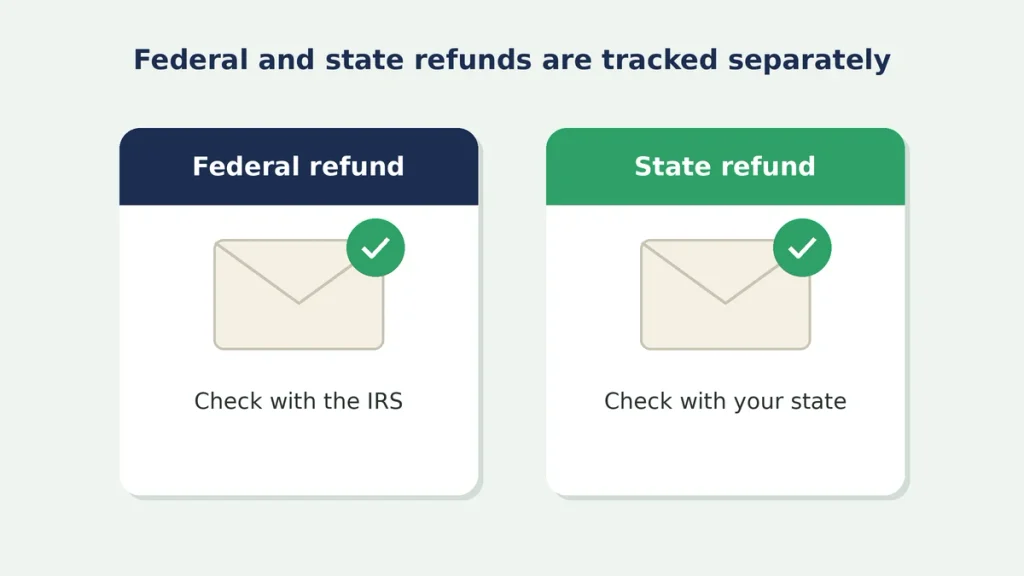
Your state refund is a separate check entirely. The IRS can’t see it, so you’ll need your state’s revenue department. In California, for example, the Franchise Tax Board runs its own refund lookup at ftb.ca.gov. Each state sets its own timeline, and states like Texas and Florida have no personal income tax at all.
Watch Out for Fake Refund Messages
Scammers love refund season. The IRS doesn’t text or email you out of the blue about your refund or ask for bank details through a link. If a message says your tax refund status needs “verification,” delete it and check at IRS.gov.
Once the money lands, park it somewhere it earns interest. Our breakdown of a high-yield savings account vs a money market account can help you choose. Paying down a credit card balance is another smart move, and it’s one of the steps in our guide on how to increase your credit score fast.
Frequently Asked Questions
How do I check my tax refund status?
Go to IRS.gov/refunds and use Where’s My Refund, or open the IRS2Go app. Enter your Social Security number or ITIN, filing status, tax year, and the exact refund amount from your return. Status shows about 24 hours after you e-file a current-year return, or around four weeks after you mail a paper return.
How often does Where’s My Refund update?
Where’s My Refund updates once a day, usually overnight. Checking your tax refund status several times a day won’t show anything new. The tool is also briefly unavailable most mornings, generally between 4 and 5 a.m. Eastern time, while the IRS loads that day’s update.
How long does it take to get a tax refund after it’s approved?
Once your status says Refund Approved, the tracker shows the date the IRS plans to send your money. After the status changes to Refund Sent, a direct deposit can take up to 5 days to appear in your bank account. A mailed paper check can take several weeks to arrive.
Can I call the IRS to check my refund status?
Yes. The automated hotline at 800-829-1954 gives the same tax refund status as the online tool. Only ask for a live agent if it’s been 21 days or more since you e-filed, 6 weeks since you mailed a paper return, or Where’s My Refund tells you to call. Agents can’t speed up a normal refund.
Why is my tax refund taking so long?
Common reasons include math errors, a missing signature, identity verification, an EITC or ACTC claim, an injured spouse claim, or missing direct deposit details. In 2026, refunds filed without bank information may be frozen until you respond to a CP53E notice. Check your mail, because the IRS asks for information by letter.
Can I check my refund status without knowing the exact amount?
Yes. Sign in to your IRS Online Account to view your tax refund status without entering the refund amount. You can also pull your tax transcripts there, which show the refund figure you claimed. If you used tax software or a preparer, the exact amount is also on the copy of the return they saved for you.
What to Do Right Now
Pull up your return, go to IRS.gov/refunds, and check your tax refund status once. If it’s within the normal window, turn on refund email alerts in your IRS Online Account and stop refreshing. If you’ve passed 21 days on an e-filed return or 6 weeks on a paper one, call the IRS with your return in hand. For official details, see the IRS Refunds page.