To download Microsoft Office 365, sign in at microsoft365.com with the Microsoft account tied to your subscription, click Install apps, and run the installer that lands in your Downloads folder. On a typical home internet connection, the whole job takes 10 to 20 minutes on either a Windows PC or a Mac. Below, you’ll get the exact steps for both, what each plan costs in 2026, and fixes for the installs that stall halfway.
One quick naming note before we start. Microsoft renamed Office 365 to Microsoft 365 for home users back in 2020, but most people still search for “Office 365,” and it’s the same product: Word, Excel, PowerPoint, Outlook, and OneNote, plus 1 TB of OneDrive cloud storage per person.
Key Takeaways
- You need a Microsoft account and an active subscription, free trial, or product key before you download Microsoft Office 365.
- Windows and Mac installs both start at microsoft365.com under Install apps.
- Microsoft 365 Personal costs $99.99 a year, and Family costs $129.99 a year for up to six people.
- You can install the apps on as many devices as you like and stay signed in on five at the same time.
- Macs need one of the three most recent versions of macOS.
What You Need Before You Download Microsoft Office 365
Before you download Microsoft Office 365, check this list. Most failed installs I’ve seen come down to a missing piece here, not a broken installer.
- A Microsoft account. An Outlook.com or Hotmail address works, and so does a Gmail address you’ve registered with Microsoft.
- A subscription, trial, or product key. If you bought a retail card at Best Buy, Target, or Walmart, redeem the 25-character key at office.com/setup before anything else. That step links the license to your account.
- Admin rights on the computer. You’ll be asked to approve the install with your Windows PIN or your Mac login password.
- A steady connection. The installer is small, but it pulls several gigabytes of app files in the background.
Office 365 System Requirements
Here are the minimums Microsoft lists for the Microsoft Office 365 desktop apps. Any computer bought in the last five or six years will clear them easily.
| Requirement | Windows PC | Mac |
|---|---|---|
| Operating system | Windows 11 or Windows 10 | One of the three most recent macOS versions |
| Processor | 1.6 GHz or faster, 2-core | Intel or Apple silicon (M-series) |
| Memory | 4 GB RAM | 4 GB RAM |
| Free disk space | 4 GB | 10 GB |
| Display | 1280 x 768 | 1280 x 800 |
Still on Windows 10? Microsoft ended full support for Microsoft 365 apps on Windows 10 on October 14, 2025, but the apps keep getting security updates until October 10, 2028. You can still download Microsoft Office 365 on Windows 10 today, and it runs fine. Just plan your move to Windows 11 before that date.
How Much Does Microsoft Office 365 Cost in 2026?
Microsoft raised consumer prices in January 2025 when it added Copilot AI features, and those prices still hold. Here’s what it costs to download Microsoft Office 365 in the US right now, before state sales tax.
| Plan | Price | People | Cloud storage |
|---|---|---|---|
| Microsoft 365 Personal | $9.99/month or $99.99/year | 1 | 1 TB |
| Microsoft 365 Family | $12.99/month or $129.99/year | Up to 6 | 1 TB each |
| Microsoft 365 Premium | $19.99/month or $199.99/year | Up to 6 | 1 TB each |
| Office Home 2024 | $149.99 one time | 1 PC or Mac | None |
My take: if two or more people in your house use Word or Excel, Family is the best value. Split three ways, it’s about $43 a year per person. Premium, which replaced Copilot Pro in October 2025, only makes sense if you’ll use the advanced AI tools every week. Office Home 2024 is a one-time purchase for a single computer, but it doesn’t get new features and doesn’t include the 1 TB of OneDrive storage.
How to Download Microsoft Office 365 on Windows 11 or 10
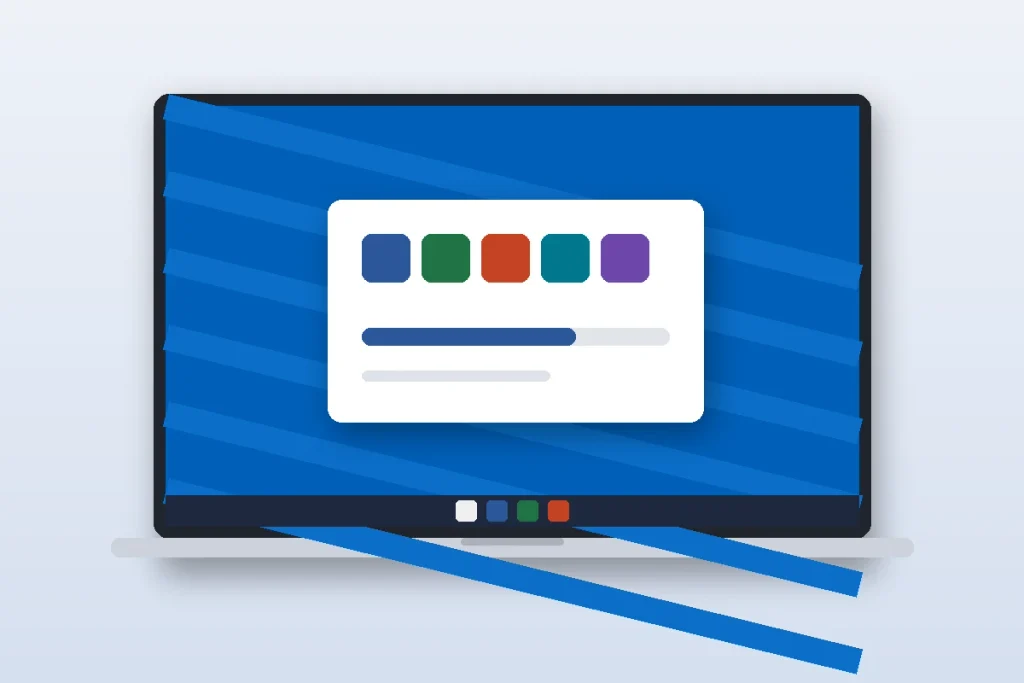
These steps to download Microsoft Office 365 work the same on Windows 11 and Windows 10. Use Edge or Chrome, since both handle the download prompt cleanly.
- Sign in. Go to microsoft365.com and click Sign in. Use the exact account that owns the subscription. This is where most “unlicensed product” errors start.
- Click Install apps. On the home page, select Install apps, then Microsoft 365 apps. Work and school accounts may need to open Apps in the left pane first.
- Run the installer. A small file named OfficeSetup.exe lands in your Downloads folder. Open it and click Yes on the User Account Control prompt.
- Let it finish. You’ll see a progress window while the apps download. Keep the laptop plugged in and the lid open. When you see “You’re all set,” click Close.
- Activate. Open Word, accept the license agreement, and sign in if asked. Check File > Account to confirm it shows your subscription.
The installer picks the 64-bit version by default, and that’s the right choice for almost everyone. Only switch to 32-bit (under Other install options) if your office relies on an old Excel add-in that won’t run otherwise.
How to Install Office 365 on Mac

When you download Microsoft Office 365 on a Mac, the process is just as quick, and the apps run natively on Apple silicon Macs like the MacBook Air M3. Safari works fine for this.
- Sign in. Go to microsoft365.com, sign in, and click Install apps. A .pkg installer downloads to your Downloads folder.
- Open the package. In Finder, open Downloads and double-click the .pkg file. Click Continue, then Agree to the license.
- Install. Click Install and enter your Mac login password when prompted (that’s your computer password, not your Microsoft password).
- Activate. When it says the installation was successful, click Close. Open Word from Launchpad or the Applications folder and sign in with your subscription account.
You can also get Word, Excel, PowerPoint, and Outlook one at a time from the Mac App Store and sign in to activate them. I prefer the full installer because it sets up Microsoft AutoUpdate, which keeps every app current in one pass. Either route uses the same license.
Microsoft supports the current macOS and the two versions before it. If your Mac can’t run one of those, the installer will stop with a compatibility message, so update first under System Settings > General > Software Update. If your Mac feels sluggish after a big update, our guide on how to speed up a slow Mac covers the usual fixes.
Microsoft 365 Free Download Options That Are Actually Legit
Searching for a Microsoft 365 free download? There’s no free, permanent copy of the Microsoft Office 365 desktop apps for regular home users. But there are a few honest ways to pay nothing or very little.
- One-month free trial. The easiest way to download Microsoft Office 365 at no cost is the trial. Microsoft offers a free month of Microsoft 365 Personal. You’ll need a credit card, and it renews automatically unless you turn off recurring billing in your Microsoft account.
- Free web apps. Word, Excel, and PowerPoint run free in your browser at microsoft365.com with any Microsoft account and 5 GB of OneDrive storage. They’re great for light editing.
- Students and teachers. Office 365 Education is free for eligible schools. Enter your school email address on Microsoft’s education page to check.
- Your employer. Many work plans let you install the apps on a home PC. Ask your IT team.
Never download Microsoft Office 365 from “crack” sites, and skip and $15 lifetime keys sold on marketplaces. Cracked installers are a common way malware gets onto home PCs, and gray-market keys often get deactivated weeks later with no refund.
Using One Subscription on Multiple Devices

Microsoft Office 365 counts sign-ins, not installs. You can download Microsoft Office 365 apps on every PC, Mac, tablet, and phone you own, and stay signed in on five at once. Sign in on a sixth device and Microsoft automatically signs you out of one of the others.
On a Family or Premium plan, each of the six people uses their own Microsoft account, so everyone gets their own five sign-ins and their own 1 TB of storage. To add someone, open your Microsoft account, go to Services & subscriptions, and choose to share. Since your Microsoft account now guards your files, it’s worth turning on two-step sign-in. Our walkthrough on how to set up Microsoft Authenticator takes about five minutes.
Fixing Common Office 365 Install Problems
Most Microsoft Office 365 install problems fall into a handful of patterns. Here’s what to try, in order.
- Install stuck at a percentage. Restart the computer and try to download Microsoft Office 365 again from microsoft365.com. It picks up where it left off. Pause any VPN, since some block Microsoft’s download servers.
- Older Office versions in the way. On Windows, remove Office 2016 or 2019 under Settings > Apps > Installed apps, restart, then reinstall.
- “Unlicensed Product” banner. You’re signed in to the apps with a different account than the one that pays. Check File > Account, sign out, and sign back in with the right email.
- Mac installer won’t run. Your macOS version is probably too old. Update macOS, then try again.
- Not enough space. Clear at least 10 GB on a Mac or 4 GB on Windows. Emptying the Downloads folder usually does it.
If none of that works, Microsoft’s official install and reinstall guide has a guided troubleshooter and links to free chat support, which comes with every Personal and Family plan.
Your Next Step
You now have everything you need to download Microsoft Office 365 on any Windows PC or Mac. Pick your plan first: Personal if it’s just you, Family if anyone else at home needs Word or Excel. Then sign in at microsoft365.com, click Install apps to download Microsoft Office 365, and you’ll be writing in Word within 20 minutes. Once the apps are installed, open File > Account and confirm your subscription shows up, so you know the activation stuck. If you write code alongside documents, our list of the best free code editors pairs well with your new setup.
Frequently Asked Questions
Can I download Microsoft Office 365 for free?
Yes, in limited ways. Microsoft offers a one-month free trial of Microsoft 365 Personal, and the web versions of Word, Excel, and PowerPoint are free at microsoft365.com with any Microsoft account. Students and teachers at eligible schools can get Office 365 Education free with a valid school email address.
Is Office 365 the same as Microsoft 365?
Yes. Microsoft renamed its consumer Office 365 plans to Microsoft 365 in 2020. The subscription still includes Word, Excel, PowerPoint, Outlook, and OneNote, plus 1 TB of OneDrive storage per person. When you buy or download Microsoft Office 365 today, you’re getting a Microsoft 365 Personal, Family, or Premium plan.
How many computers can I install Office 365 on?
You can install the apps on as many PCs, Macs, tablets, and phones as you want. Microsoft limits sign-ins, not installs, so you can stay signed in on five devices at the same time. Family and Premium plans give that same five-device limit to each of up to six people.
Does Microsoft Office 365 still work on Windows 10?
Yes. Full support for Microsoft 365 apps on Windows 10 ended October 14, 2025, but Microsoft will keep sending security updates until October 10, 2028. You can still install and use the apps on Windows 10 today. Upgrading to Windows 11 before 2028 keeps you on the fully supported path.
How do I install Office 365 on a Mac with a product key?
First, go to office.com/setup, sign in with your Microsoft account, and enter the 25-character key from your card. That links the license to your account. Then sign in at microsoft365.com, click Install apps, open the .pkg file in Downloads, and follow the prompts.
Should I buy Office 2024 or subscribe to Microsoft 365?
Office Home 2024 costs $149.99 once for a single PC or Mac, with no new features and no 1 TB OneDrive storage. Microsoft 365 costs $99.99 a year for one person but covers five signed-in devices, cloud storage, and ongoing updates. Most households get more value from the subscription.